How to switch on or off the Unable to Get Licence Details warning
Open the Config
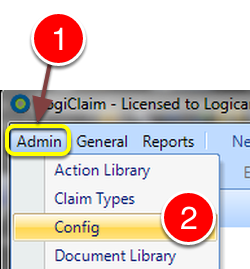
- Click Admin from the menu.
- Select Config from the drop down list – the Config window will open.
Change the setting
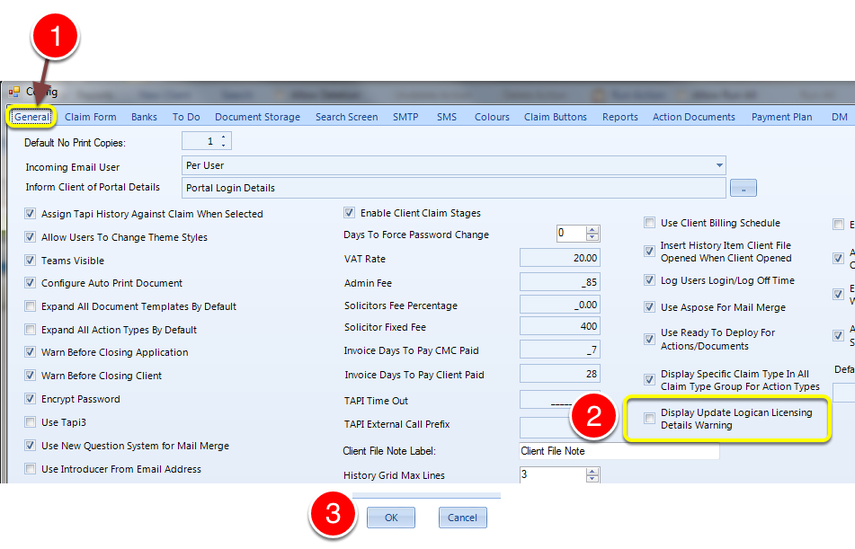
- Click the General tab – the General window will open.
- To disable the warning untick the Display Update Logican Licencing Details Warning tick box. Tick the box to enable the warning.
- Click OK to save the data and close the window.
Introduced in version number 2015.8.7.1847 – 12/08/2015