How to Show Product Type on the main To Do list
Open the Config
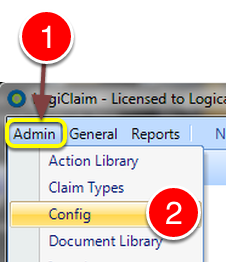
- Click Admin from the Menu.
- Select Config from the drop down list – the Config window will open.
Change the required setting
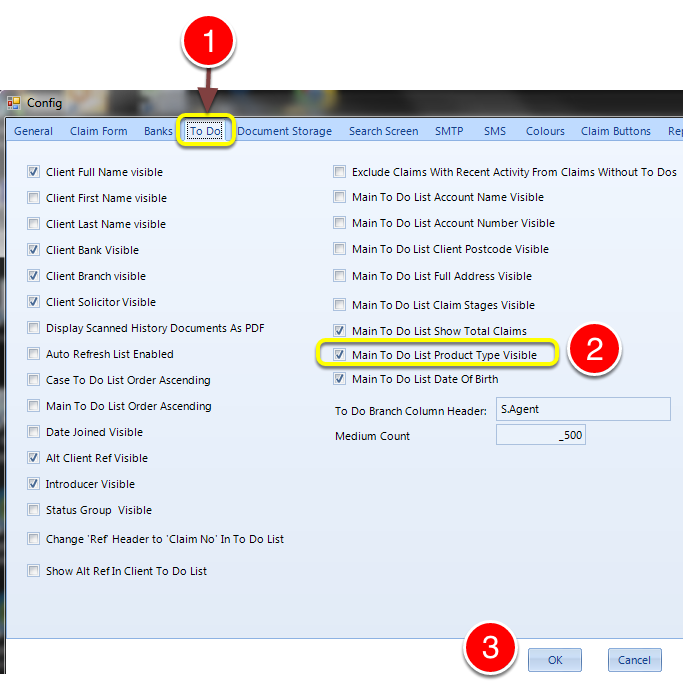
- Select the To Do tab – the To Do window will open.
- Tick the Main To Do List Product Type Visible to show the Product Type, or untick to hide this column.
- Click OK to save the data and close the window.
Introduced in version number 2015.8.7.1847 – 12/08/2015