How to make a Claim Type Mandatory
Open the Config Window
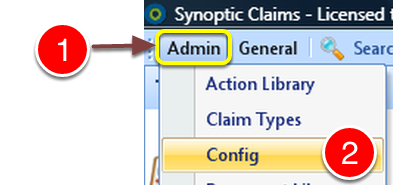
1: Click Admin from the Menu.
2: Click Config from the drop down menu – the Config window will open.
Open Mandatory Fields Window
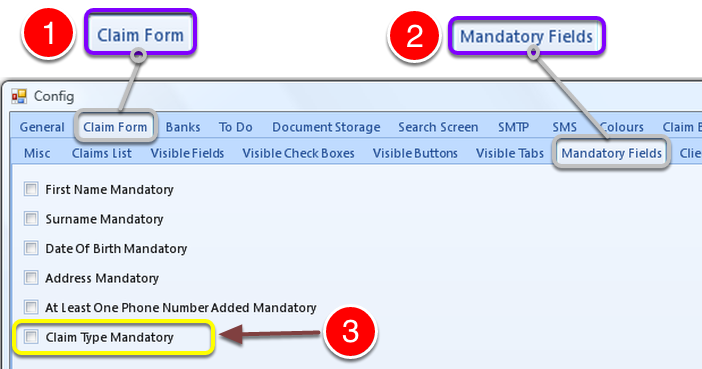
1: Click Claim Form tab.
2: Click Mandatory Fields Tab – the Mandatory Fields window will open.
3: Click the tick box on to make the Claim Type mandatory.