How to set Client and Claim Buttons so that they can only be pressed once
Open the config
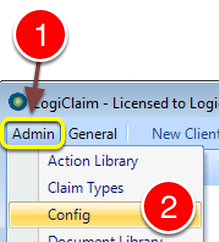
1: Click Admin from the Menu.
2: Select Config from the drop down list – the Config window will open.
Change the setting
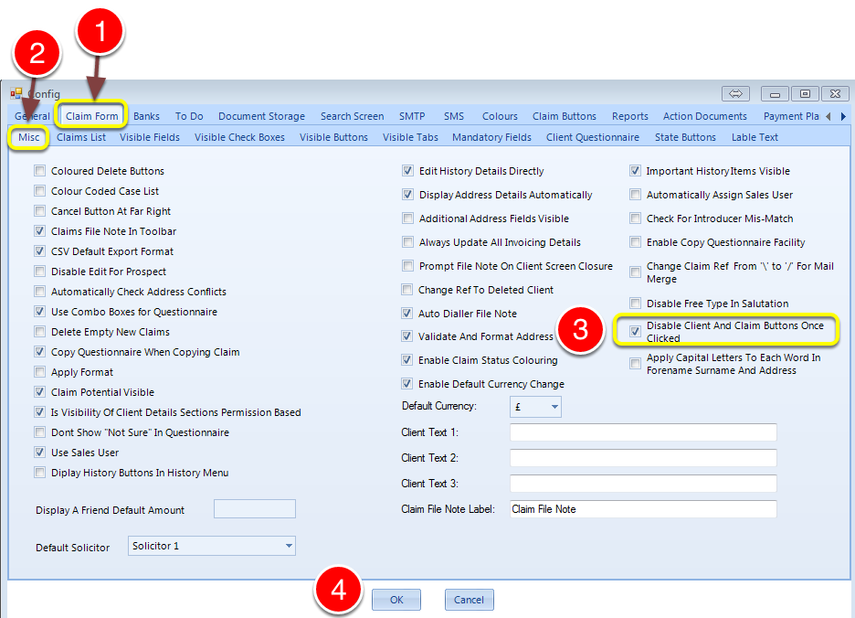
1: Select the Claim Form tab – the Claim Form window will open.
2: Select the Misc tab – the Misc window will open.
3: Click “Disable Client and Claim buttons Once Clicked” Tick box to enable this feature.
4: Click OK to Save the data and close the window.