How to Enable the Payments List Report
Open the Config
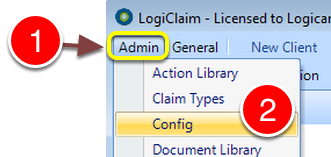
1: Click Admin from the Menu.
2: Select Config from the drop down list – the Config window will open.
Change the setting
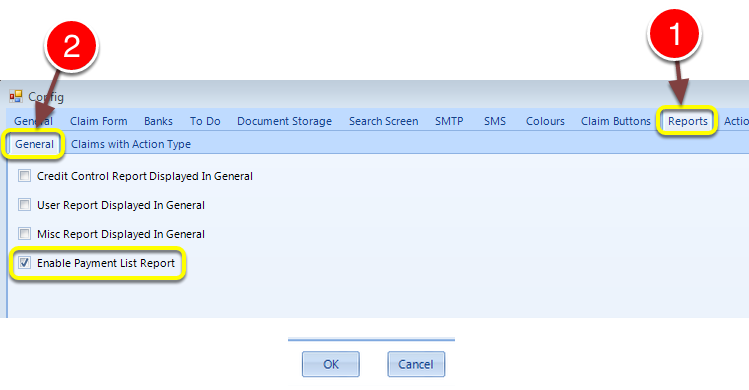
1: Click the Reports tab – the Reports window will open.
2: Click the General tab – the General window will open.
3: Click the Enable Payment List Report tick box.
Note: You will need to log out of the system and log back in again.