How to Show / Hide the Second Person in a Claim
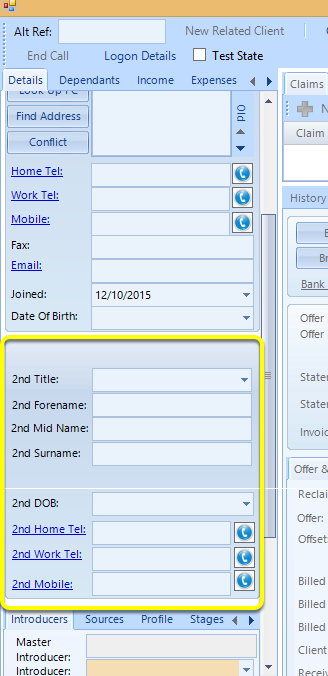
Claim Form with Second Person Group Visible Ticked
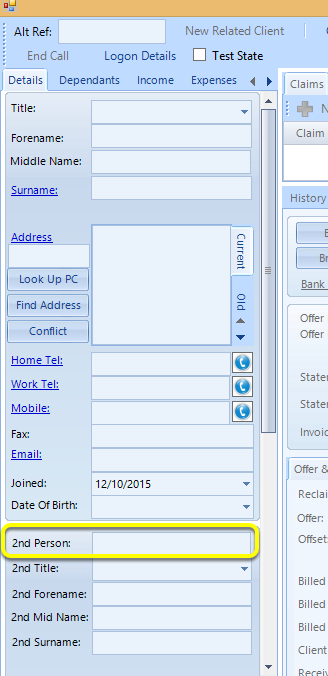
Claim Form with Second Person Field Visible Ticked
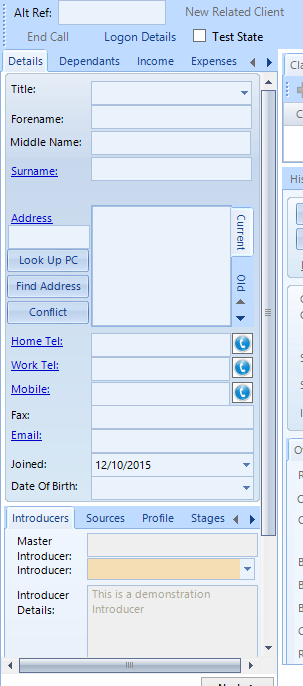
Claim Form with Show Unticked
Open the Config
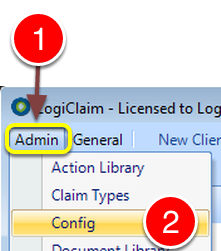
1: Click Admin from the Menu.
2: Select Config from the drop down list – the Config window will open.
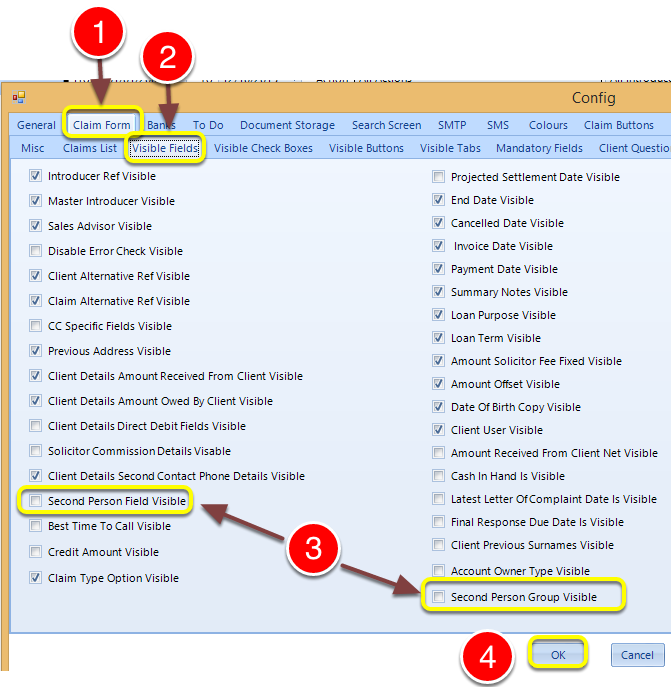
1: Click the Claim Form tab – the Claim Form window will open.
2: Click the Visible Fields tab – the Visible Fields window will open.
3: Tick Second Person Field Visible and Second Person Group Visible to show the Second Person Field and Second Person Group or untick to hide.
Note: The Second Person Field is dependent upon the Second Person Group and only displays when the Second Person Group Visible is also ticked.
4: Click OK to save the configuration and close the window.