How to make Claim Type Options Visible
Open the Config window
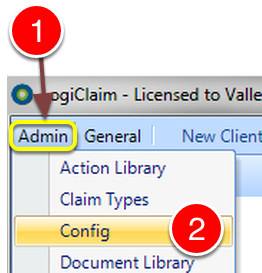
1: Click Admin from the Menu.
2: Click Config from the drop down list – the Config window will open.
Change the setting
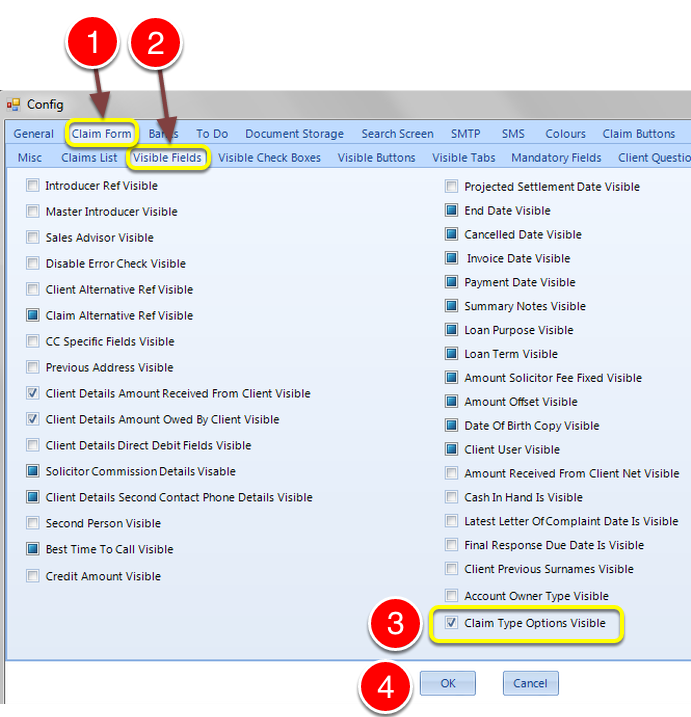
1: Click the Claim Form tab – the Claim Form window will open.
2: Click the Visible Fields tab – the Visible Fields window will open.
3: Tick the Claim Type Options Visible tick box to allow the system to show the Claim Type Options. Untick the tick box to hide the options.
4: Click OK to Save the data and Close the window.
Claim Details
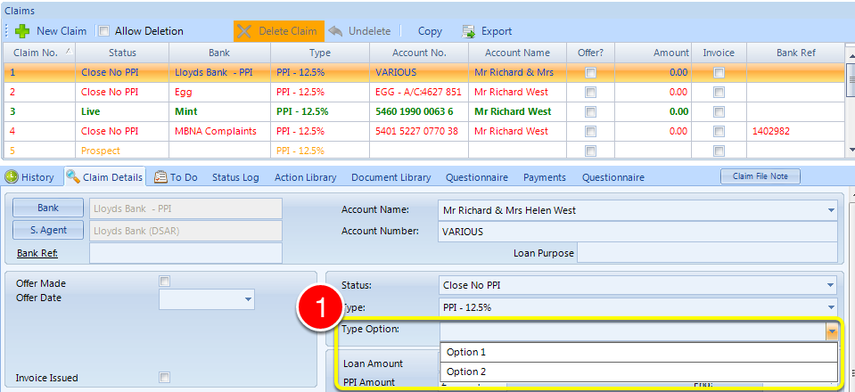
1: On the Claim Details screen there is a new drop down box to select the Claim Option.
NOTE: This will only show if the correct Claim Type Options have been made – see How to Configure Claim Type Options.