How to toggle Client file opened logs
Open the Config
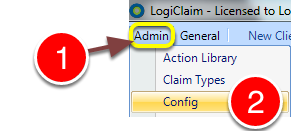
1: Click Admin from the Menu.
2: Select Config from the drop-down menu – the Config window will open.
Change the setting
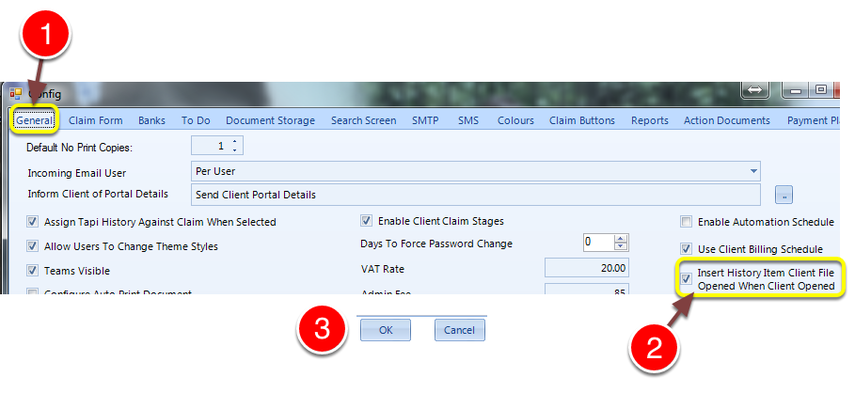
1: Click the General tab – the General window will open.
2: Tick the Insert History Item Client File Opened When Client Opened check-box.
3: Click OK to save the setting and close the window.
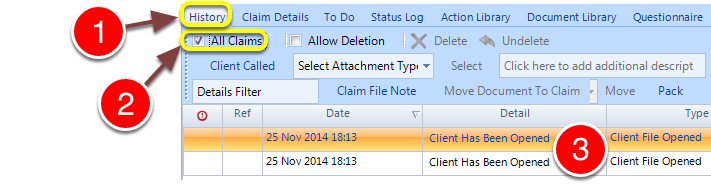
1: Click the client’s History tab – the History window will display.
2: Ensure that the All Claims check-box is ticked.
3: All previous occurrences of this client’s file being opened are logged.