How to Allow / Deny a User permission to change a Claim’s Status
Open the Users window
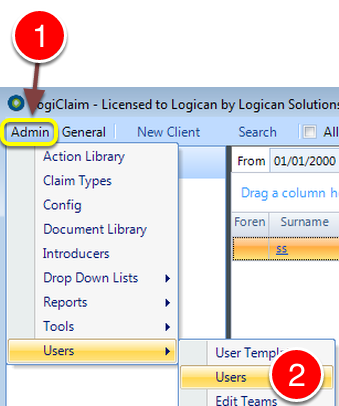
1: Click Admin from the Menu.
2: Select Users –> Users from the drop down list – the Users window will open.
Select the required User
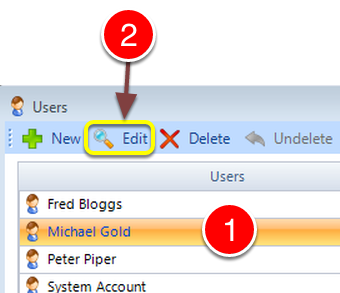
1: Select the User to change.
2: Click Edit – the Edit User window will open.
Change the Permission
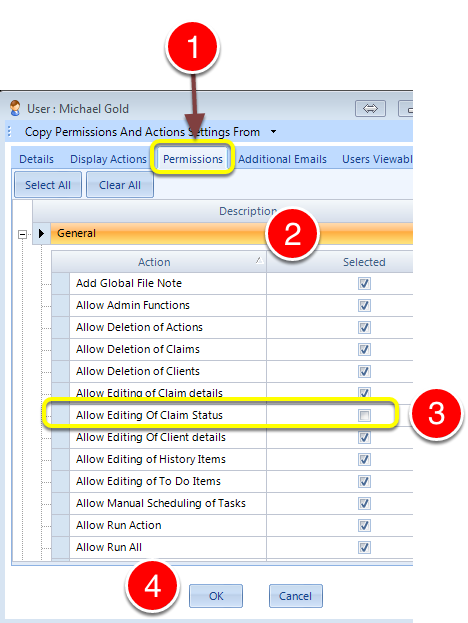
1: Click the Permissions tab.
2: Expand the General Group.
3: Tick the Allow Editing Of Claim Status tick box to allow the User to edit or Untick to deny the User Permission.
4: Click OK to Save the data and close the window.
In a Claim

When the Tick is turned of – the Status cannot be changed.