How to enable the part payment Billing module
Info
A reminder schedule can be created to run a reminder action on the payment dates and payments will be recorded against this plan.
Open the Users window
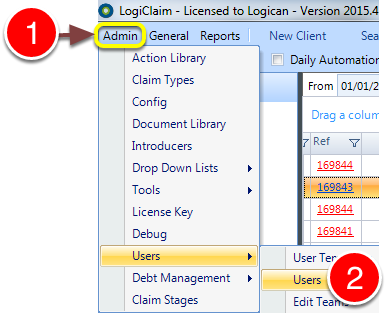
1: Click Admin in the Menu.
2: Select Users –> Users from the drop-down window – the Users window will open.
Open the User’s set-up window
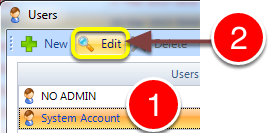
1: Select the required User for edit.
2: Click Edit – the User’s edit window will open.
Change the permission
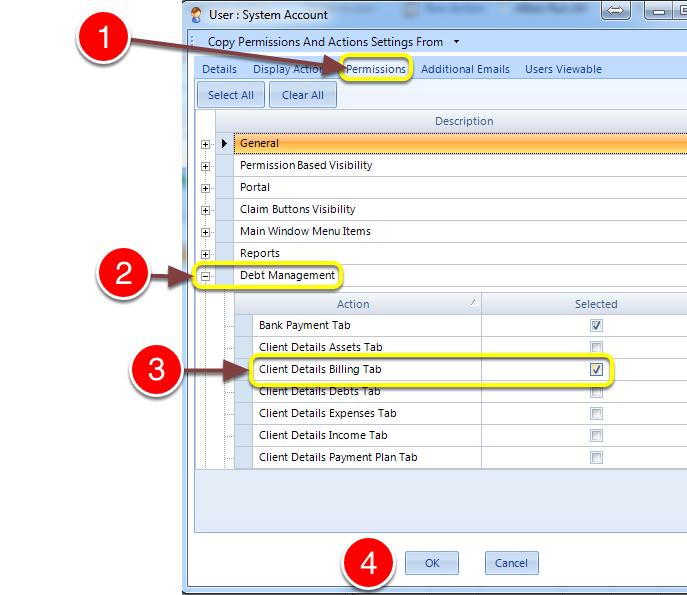
1: Click on the Permissions tab – the Permissions window will show.
2: Expand the Debt Management section.
3: Tick the Client Details Billing Tab check-box.
4: Click Ok to save the setting and close the window.
Enable Billing Schedules
Open the Config window
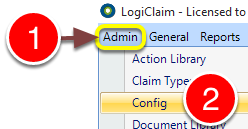
1: Click Admin from the menu.
2: Select Config from the drop-down menu – the Config window will open.
Enable Billing Schedules
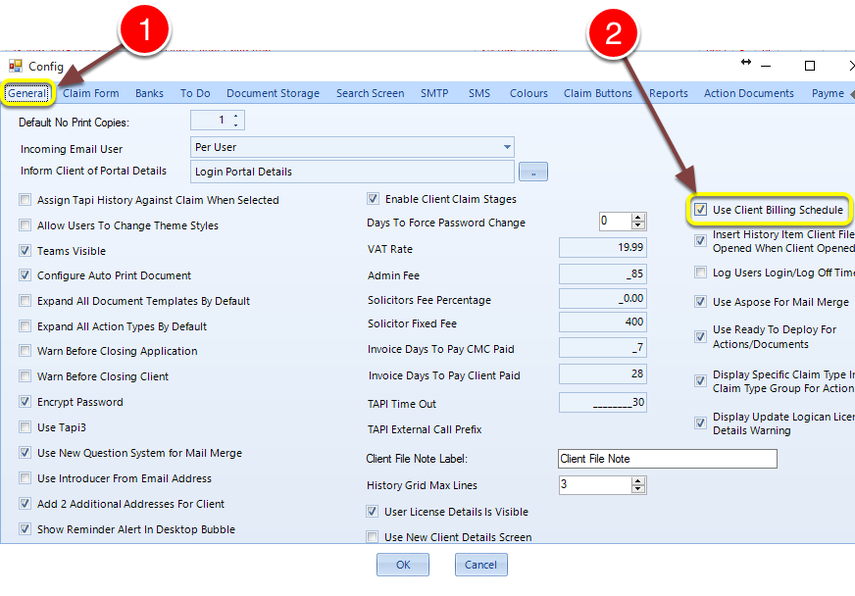
1: Open the General tab.
2: Tick the Use Client Billing Schedule check-box. NOTE: Once this is enabled, payments can only be recorded in the billing tab and not entered directly into the ‘Recieved from Client’ field in the Offer & Billing section of the Claim Details window.
Set the reminder Action
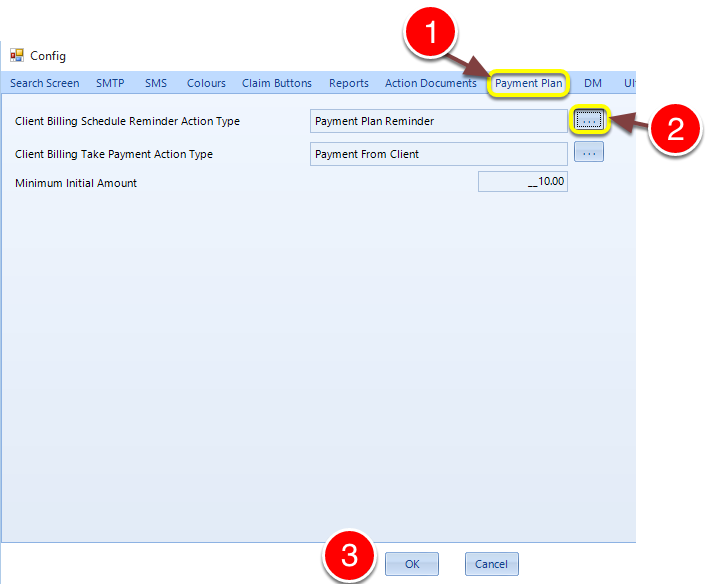
1: Click on the Payment Plan tab.
2: Click the button to open the select Action pop-out window.
3: Click OK to save the setting and close the window.