How to rename the tabs in the Claims window
Open the Config
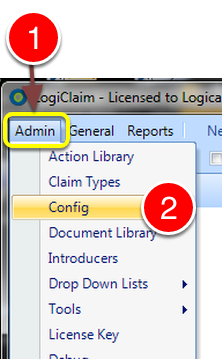
1: Click Admin from the Menu.
2: Select Config from the drop down Menu – the Config window will open.
Make the changes required
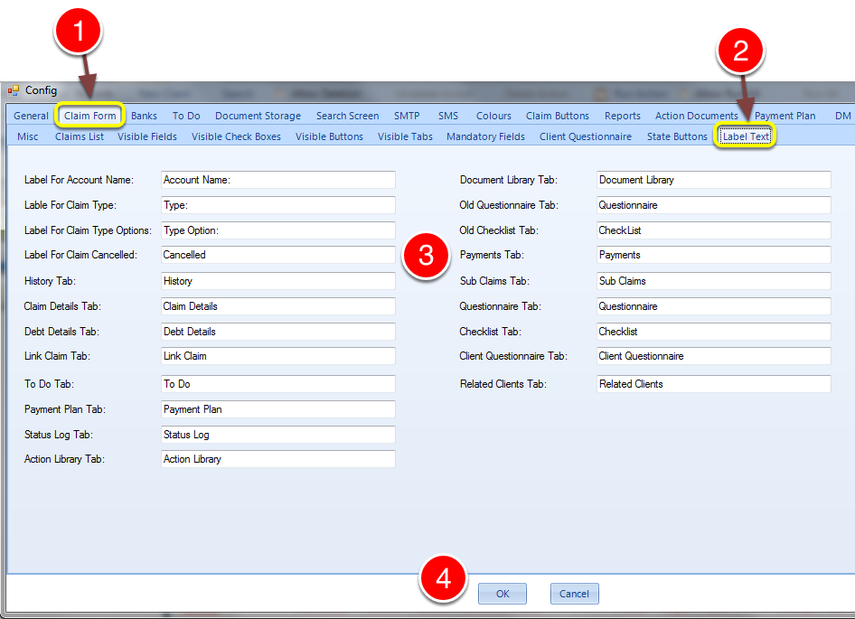
1: Click the Claim Form tab – The Claim Form window will open.
2: Click the Label Text tab – The Label Text window will open.
3: Rename the Tabs as required.
4: Click OK to Save the changes and close the window.
Introduced in version number 2015.4.27.1432