How to Show claim stages in the To Do list
OPen the Config window
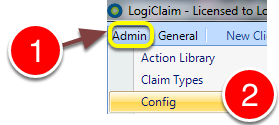
1: Click Admin from the menu.
2:Select Config from the drop-down list – the Config window will open.
Change the settings
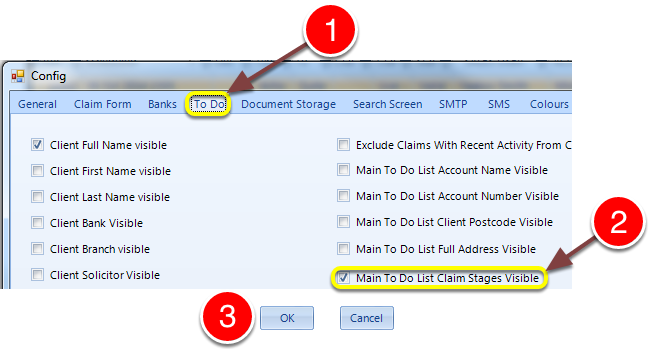
1: Click the To Do tab – the To Do config window will open.
2: Tick/untick the Main To Dol listClaim Stages Visible tick-box.
3: Click OK to save and close the config window.