How to set the Default From Email Address to overide all Users email addresses
Open the Config
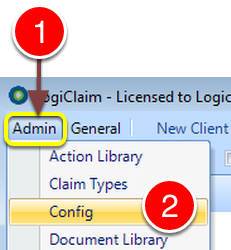
1: Click Admin from the Menu.
2: Click Config from the drop down list – the Config window will open.
Set the From Address
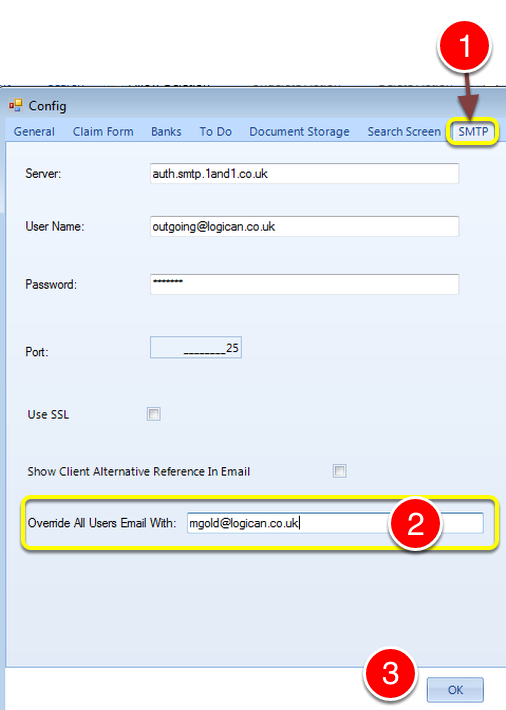
1: Click the SMTP tab – the SMTP window will open.
2: Type in the required email address – ALL EMAILS WILL BE SENT FROM THIS ADDRESS NO MATER WHICH USER SENDS THEM.
3: Click OK to save the changes and close the window.