How to Allow/Deny Users permission to Delete Actions in the Client To Do list
Open the Users window
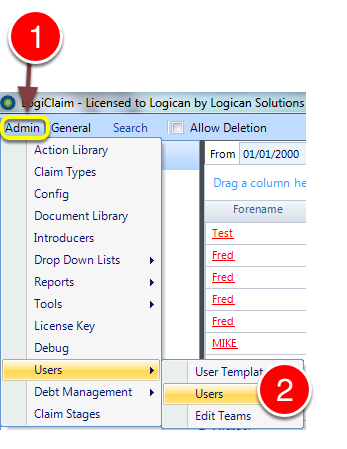
1: Click Admin from the menu.
2: Select Users –> Users from the drop down list – the Edit Users window will open.
Select the User to edit
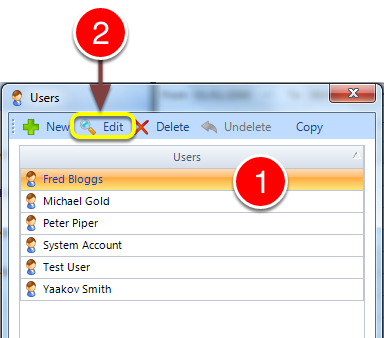
1: Click the User you require to edit.
2: Click Edit – the required User’s window will open.
Change the permission
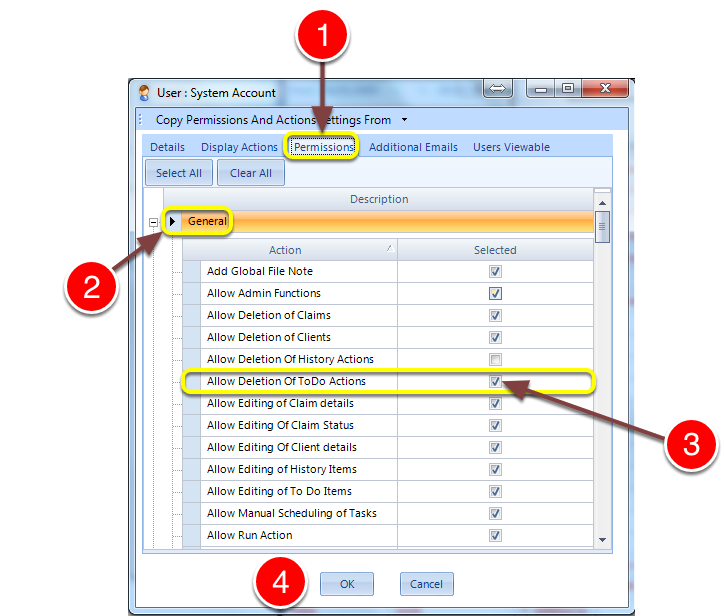
1: Click the Permissions tab – the Permissions window will open.
2: Open the General Permissions.
3: 3: Click the Allow Deletion of ToDo Actions tick box to allow the user the ability to delete actions in the Client To Do list.
4: Click Ok to close the User’s window.
Save and close
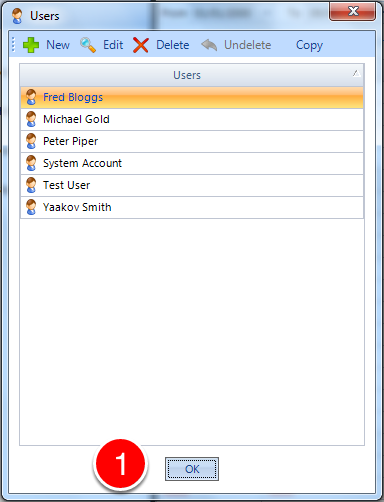
1: Click OK to Save the setting and close the Users window.