How to add Daily Automation to an Action
Open the Action Library
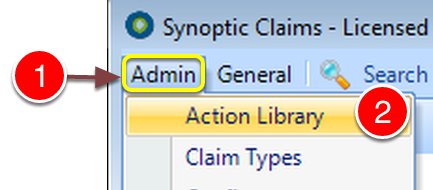
1: Click Admin on the Menu.
2: Select Action Library from the drop down list – the Action library window will open.
Select the Action
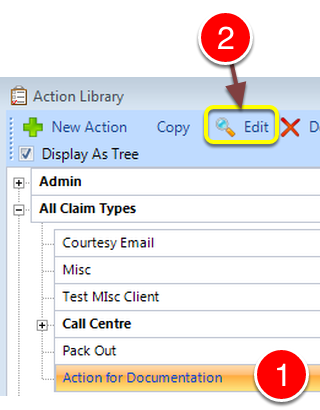
1: Click the Action to be edited.
2: Click Edit from the Menu – the Edit Action window will open.
Tick the Check box
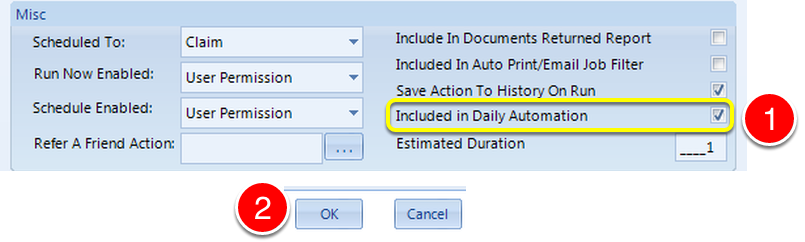
1: Tick the Include in Daily Automation check box.
2: Click OK to save the details and close the window.