How to set default Claim Type for a Introducer
Open the Introducers window
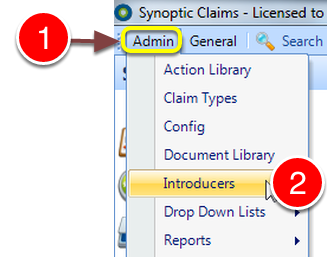
1: Click Admin from the Menu.
2: Select Introducers from the drop down list – the Introducers window will open.
Edit a Introducer
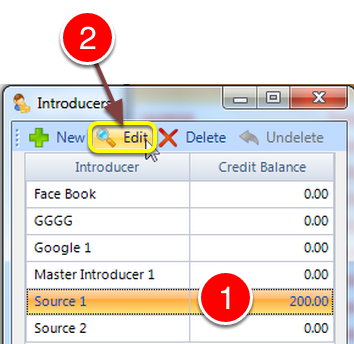
1: Select an Introducer.
2: Click Edit – the Edit Introducer window will open.
Open the Details window
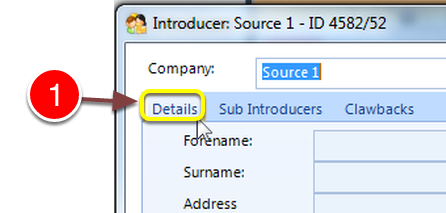
1: Select the Details tab – the Details window will open.
Choose a Default Claim Type
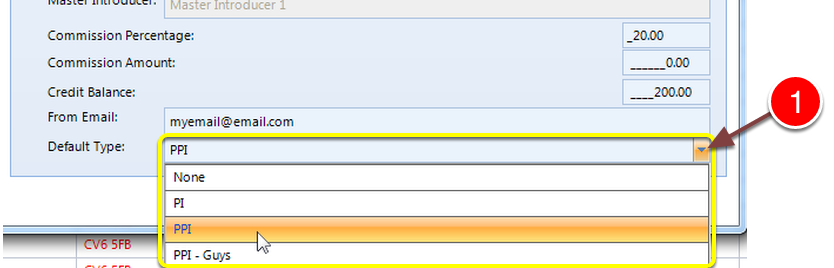
1: Select a Default type from the drop down list.
Click OK to save.