How to authorise/de-authorise a user to use a custom action Claim Button in Client window – for a specific claim type
Open Users Window
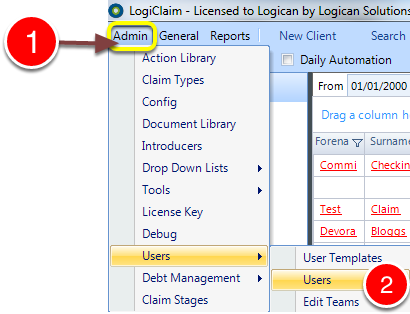
1: Click Admin from the menu.
2: Select Users –> Users from the drop down menu – the Users window will open.
Select User to Edit
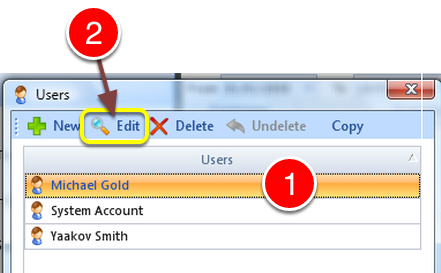
1: Select required user.
2: Click Edit – the Edit User window will open.
Amend Permissions
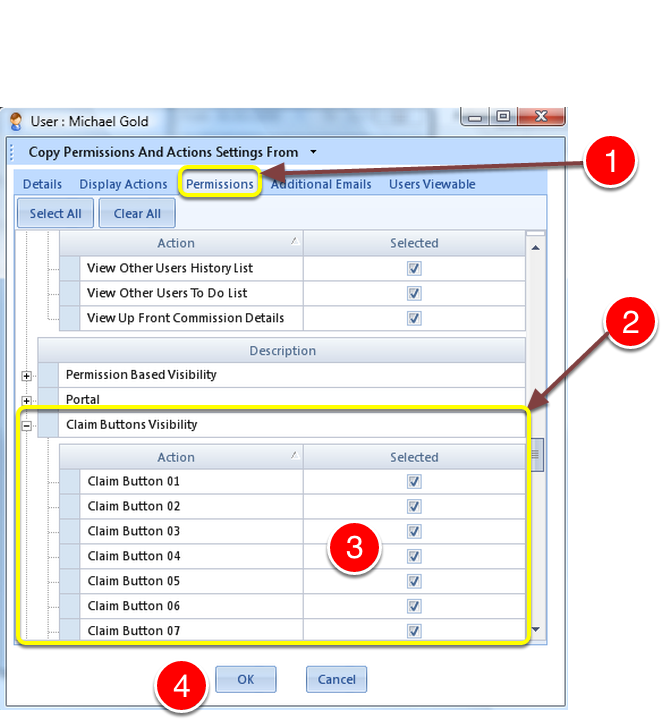
1: Click Permissions Tab – the permission window will open.
2: Use the scroll bar to scroll down to Claim Buttons Visibility.
3: Authorise buttons by ticking the check box or de-authorise by un-ticking them.
4: Click OK – the window will close.