Reports (BACS Exceptions)
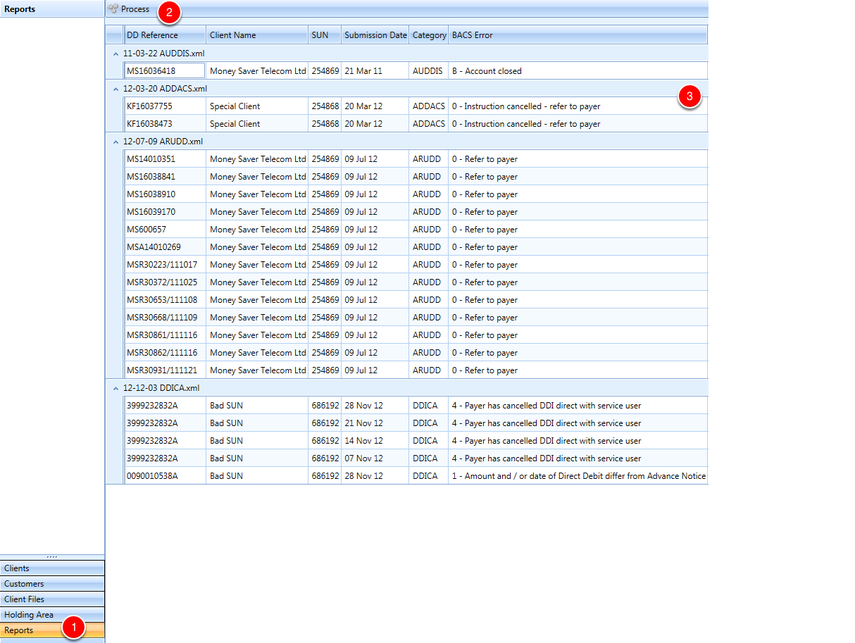
In order to read exceptions, manually place the exception files of types (AUDDIS, ARUDD, ADDACS and DDICA) in the Exceptions Directory section of the config file.
1. Select Reports on the Outlook style toolbar
2. Hit the Process button
3. The results grid will be populated.