How to Export data
Info
Before you can Export, you must set a valid export directory.
Open the configuration file "BacsPay.WPF.exe.config"
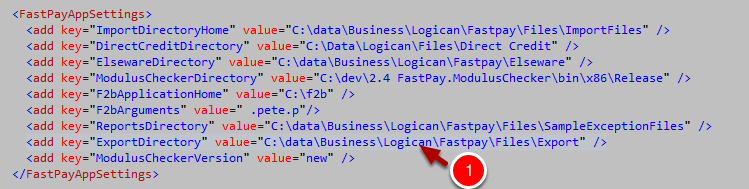
1. Ensure the ExportDirectory value is a valid directory on your computer
Exporting all customers in one client
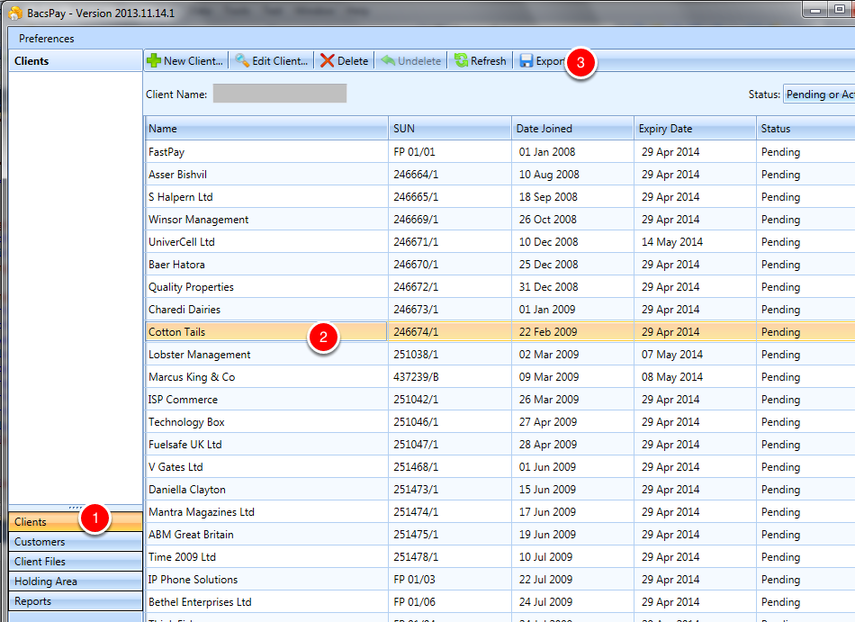
1. Select the Clients tab from the Outlook style list of tabs
2. Select the client you want to export
3. Hit the Export button
Exporting details of one customer
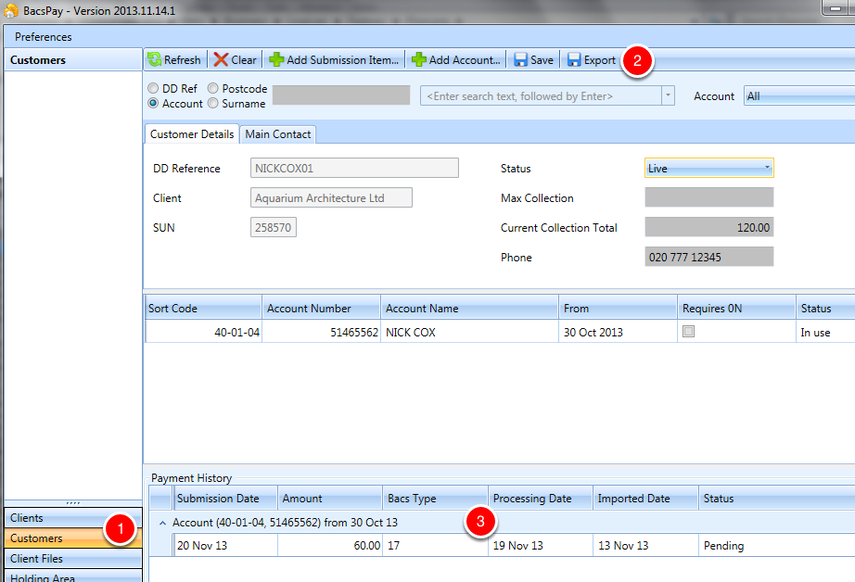
1. Choose the Customers tab from the Outlook style list of tabs
2. Hit the Export button
3. Note the Export button will only be enabled if there are items in the payment history grid at the bottom of the customer screen