How to attach a Unit Type to a Unit
Open a Unit
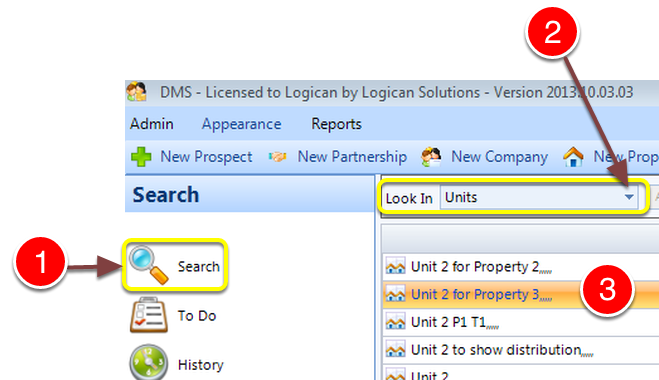
1: Click Search for the Side Menu.
2: Select Units from the drop down list.
3: Double click a Unit to select it – the Edit Unit window will open.
Select the Unit Type
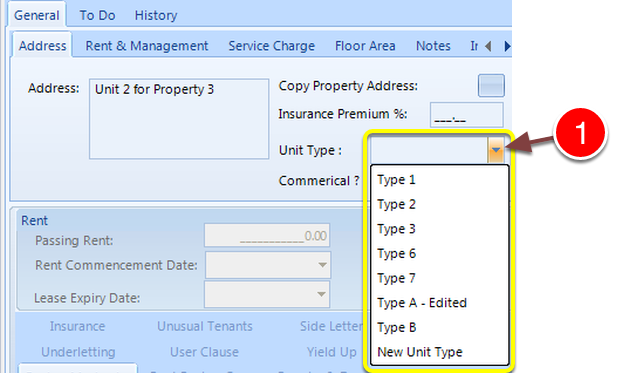
1: Select the Unit Type from the drop down list.
Close the window

1: Click OK to Save the changes and close the window.