Change User Permissions to allow the Editing of Contact Balances
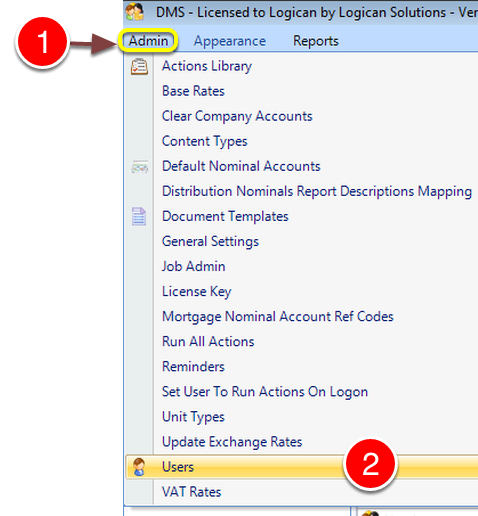
1: Click Admin from the menu.
2: Click Users from the drop down list – the Users window will open.
Select User
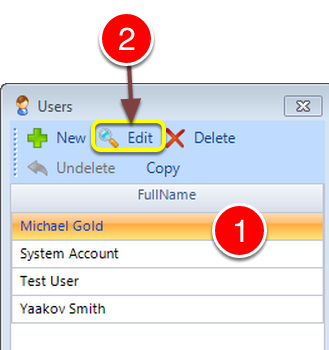
1: Select the required User. (You can double click or….)
2: Select Edit – the Edit User window will open.
Open the Permissions tab
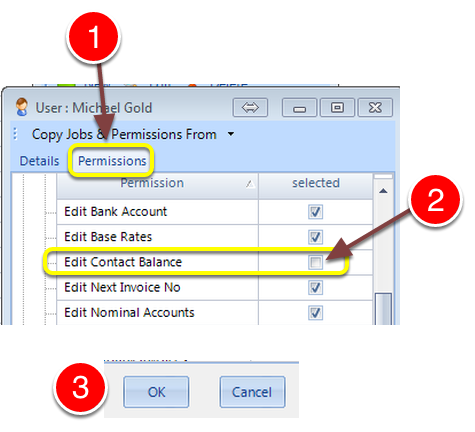
1: Click the Permission tab – the Permissions window will open.
2: Click the Edit Contact Balance check box on to authorise this feature or off to disable.
3: Click OK to Save the change and close the window.
Note: The user will need to log off and log back on to the software to apply the change.