How to record a Deposit made by a Tenant
Open the Unit
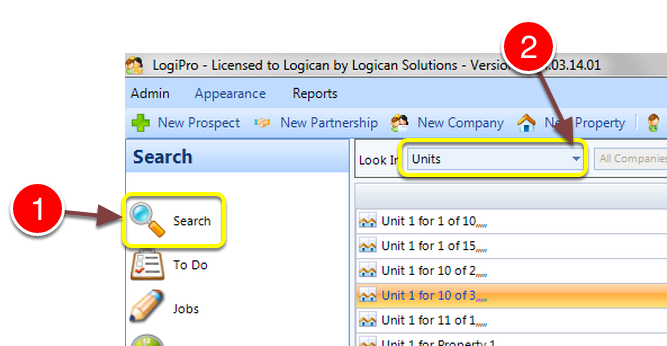
1: Click Search on the Side Menu.
2: Select Units from the drop down list – the list of Units will open.
3: Double click the required unit to select it – the Unit window will open.
Open the Rent Details
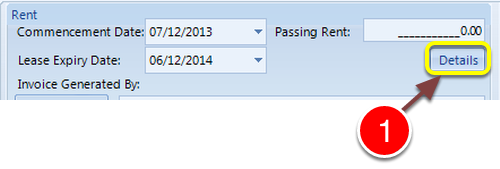
1: Click the Details button – the Rent Details window will open.
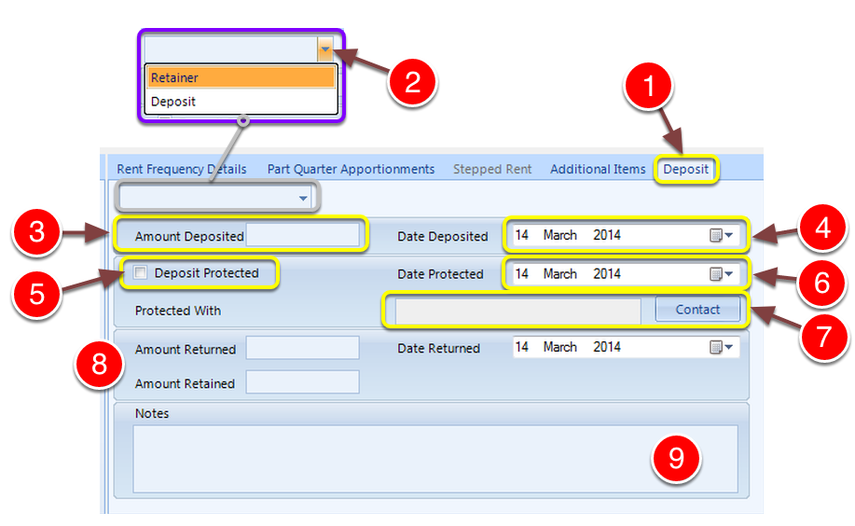
1: Select the Deposit tab – the Deposit window will open.
2: Select Retainer or Deposit from the drop down list.
3: Key in the amount that has been Deposited.
4: Select the Date of Deposit from the pop-out calendar.
If the Deposit is Protected do the following steps.
5: Click the Deposit Protected check box.
6: Select the Date of Protection from the pop-out calendar.
7: Select the Company the Deposit is Protected with from the Pop-Out list.
End of the Tenancy
8: Complete the details about any money Returned and/or Retained.
Notes
9: Key in any notes required.
Close the window
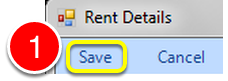
1: Click Save to Save the data and close the window.