How to make “Their Reference” Compulsory in Purchase Invoices
Open the General Settings window
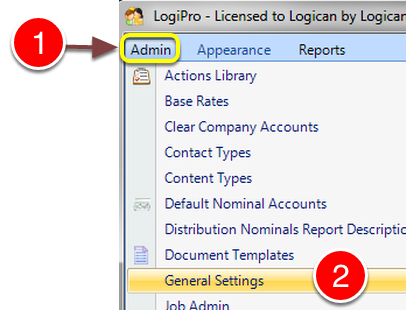
1: Click Admin.
2: Select General Settings from the drop down list – the General Settings window will open.
Apply the Setting
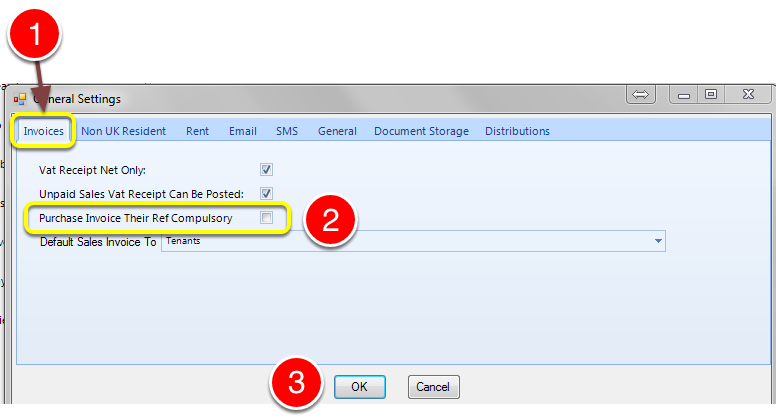
1: Click the Invoices tab – the Invoices window will open.
2: To make the “Their Reference” Compulsory/Mandatory click the check box. To turn this off, untick the check box.
3: Click the OK button to close the window and Save the changes.
Purchase Invoice
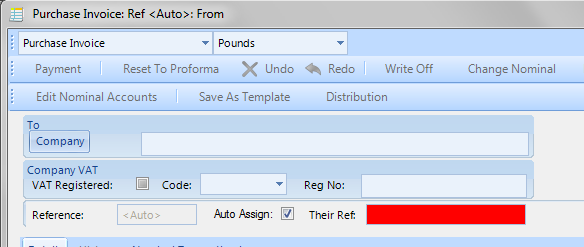
When the tick is on – the “Their Ref” field is highlighted in red to show that is a Mandatory field.