How to create a Quarterly Statement
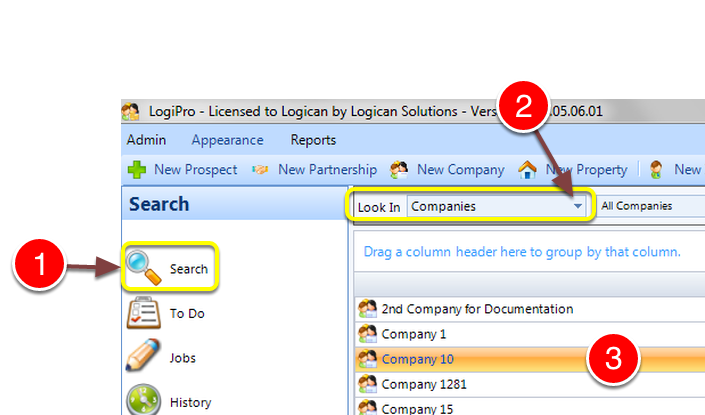
1: Select Search from the Side Menu.
2: Select Companies from the drop down list – A list of Companies will open.
3: Double click the required company to select it – the Company window will open.
Select the Landlord Statement
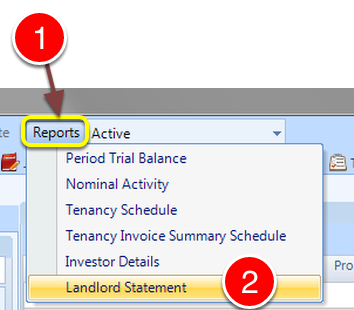
1: Click Reports.
2: Select Landlord Statement from the drop down list – the Statement window will open.
Select the correct dates
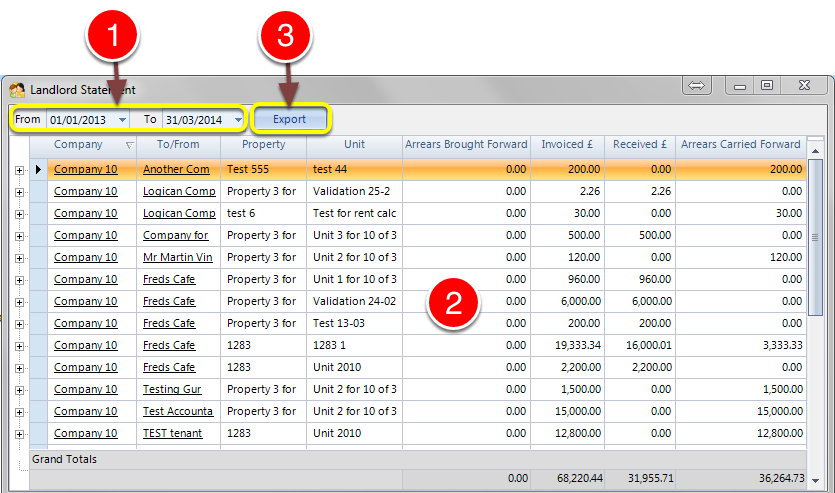
1: Select the correct dates – the data displayed will refresh.
2: Check the data is what you require.
3: Click the Export button to Export the data – the data will Export to Microsoft Excel.