How to Create Utility Types to Use in a Utility Bill
Accessing the Utility Types Screen
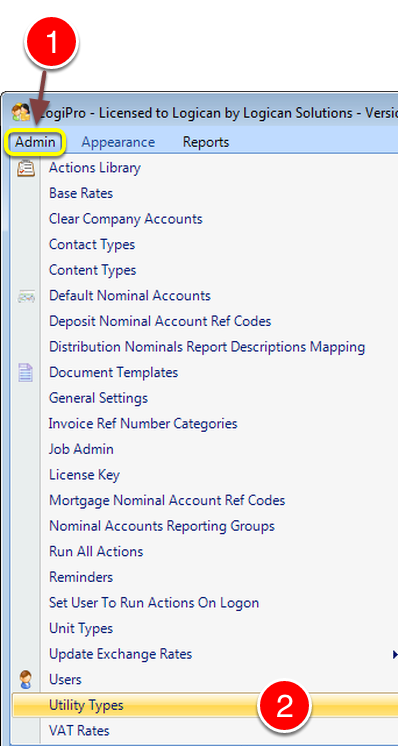
1: Click Admin from the Menu.
2: Select utility types from the drop down list – the Utility Types window will open.
Entering Utility Type Details
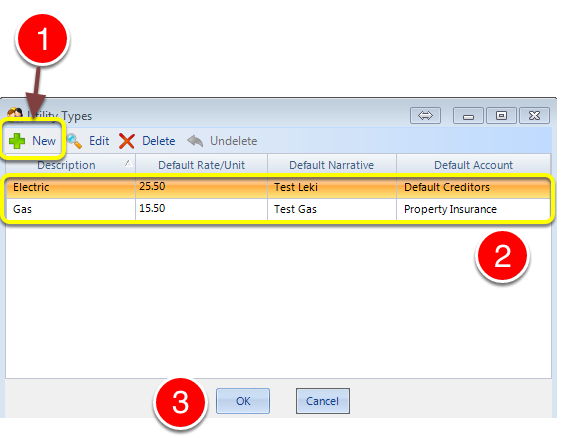
1: To add a new utility type click New – a new line will be created.
2: Enter details of the utility with Description, Default Unit Price, the default narrative for the invoice and the default Invoice Nominal Account.
3: Click OK to Save the data and close the window.