How to Auto Allocate Payments
Info
How to auto allocate any unallocated payments in the whole of LogiPro.
A User must be authorised to perform the Auto Allocation. Click here for instruction on how to authorise a User.
Using auto allocate in the payments screen
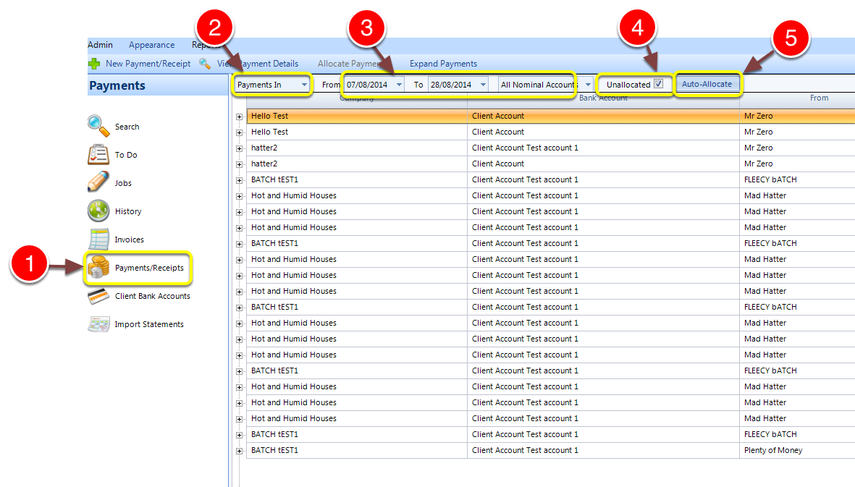
1. Click the payments/Receipts button from the menu.
2. Select Payments in from the drop down list – a list of Payments will open.
3. Choose your date range and nominal accounts – the window will refresh.
4. Click the unallocated checkbox – all unallocated payments will display.
5. Click Auto Allocate – the process will begin.
—Note: Auto allocate only works if both the payment and the invoices have the same property and unit, and the nominals match as well.