Set a Service Charge Company
Info
This feature enables you to designate a service company for invoicing on behalf of.
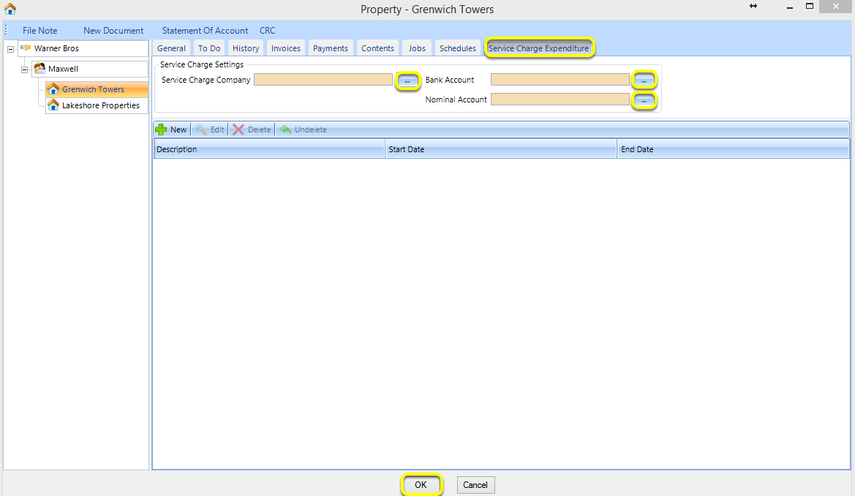
From the Service Charge Expenditure tab, click … to select the Service Charge Company.
Note: If the default Bank Account and Nominal Account are set in the Service Charge Company General > Company > Accounting tab, these fields automatically populate upon selecting the Service Charge Company. If they are not set, click the respective … to select the relevant Bank Account and Nominal Account.
Click OK to save the Service Charge Settings.
Note: You must first click OK to save the Service Charge Settings before you can create a new budget.
Introduced in version 2016.6.7.2847