How to Set Up an Action to Run on Only One Specific Claim Type or All Claim Types
Open the Action Library
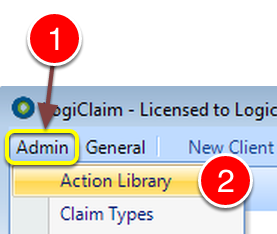
1: Click Admin from the menu.
2: Select Action Library from the drop down list – the Action Library window will open.
Select the Action Required for Editing
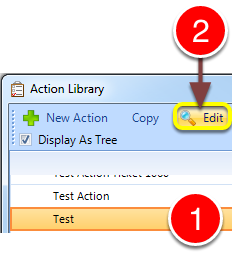
1: Select the Action required for editing.
2: Click Edit – the Action’s window will open.
Change the Setting
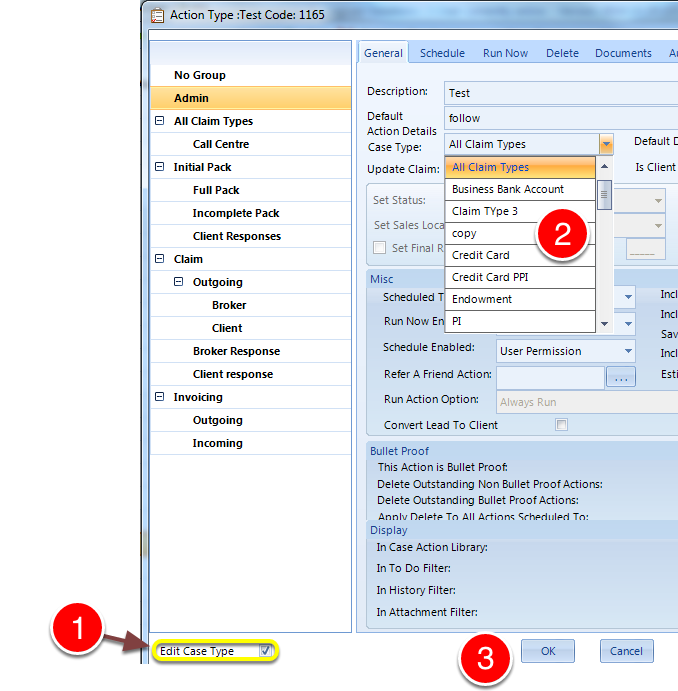
1: Tick the Edit Case Type checkbox.
2: Select which case types this action should display for.