Skip to content
How to Edit an Action Directly from the Action Schedule Window
Open the Action Library
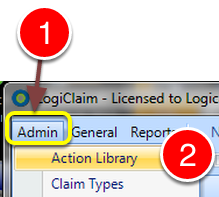
- Click Admin.
- Select Action Library from the drop down list – the Action Library window will open.
Select the Action to Edit
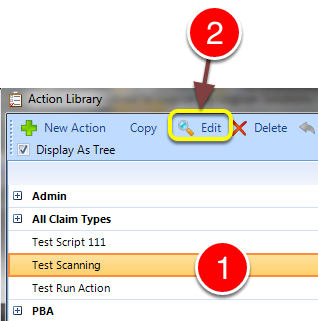
- Select the Action to edit.
- Click Edit – the selected action with open.
Edit the Schedule or Edit the Scheduled Action
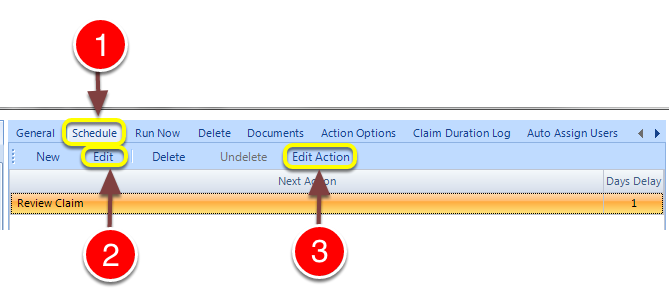
- Click the Schedule tab – the Schedule widow will open.
- Click the Edit button – the Edit Schedule window will open allowing editing of the action that is scheduled and/or the days delay.
- Click Edit Action – the Action will open so that you can edit the action functionality. NOTE: this will affect everywhere the Action is called.