How to make the Account Name in a Claim change automatically when the Client details is changed
Open the Config
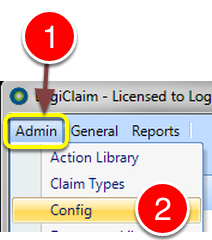
1: Click Admin from the Menu.
2: Select Config from the drop down list – the Config window will open.
Change the settings
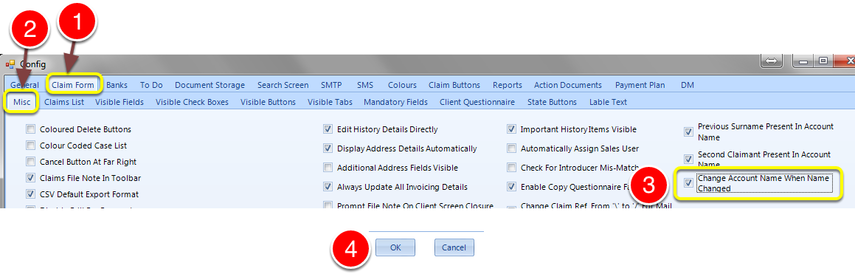
1: Select the Claim Form tab – the Claim form window will open.
2: Select the Misc Tab – the Misc window will open.
3: If you would like the Account Name to reflect changes to the Client Name immediately, without the need to select a change from the drop down list. Tick the
— “Change Account Name When Name Changed” tick box.
4: Click OK to Save the data and close the window.