How to relax the rules re Client and Claim attached to Actions and Documents
Info
Please note: This can be a dangerous thing to do as associating a Claim Document to a Client could result in missing Mailmerge fields.
Open the Config
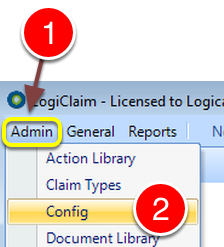
1: Click Admin from the Menu.
2: Select Config from the drop down list – the Config window will open.
Change the Config
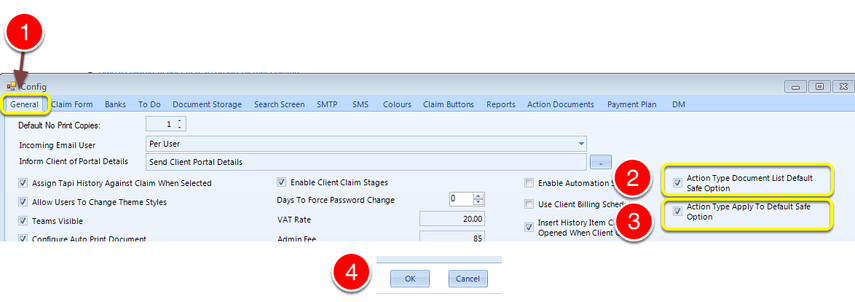
1: Select the General tab – the General tab will open.
2: If you wish to relax the rules as to what Documents can be applied by default,
— untick “Action Type Document List Default Safe Option”
3: If you wish to relax the rules as to which Actions can be applied by default,
— untick “Action Type Apply To Default Safe Option”
Adding a Document to an Action
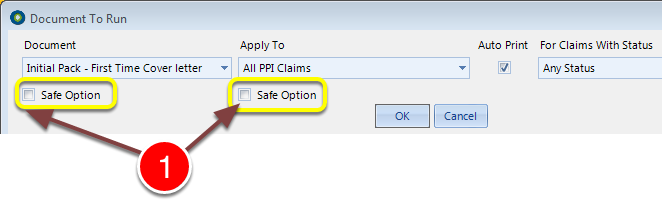
1: When adding a Document to an Action the Option ticks will be set as the defaults from the Config.
— If the Safe option is selected, Only documents guaranteed to work will be displayed.
— The default option can be overridden here by ticking or unticking the boxes.