Set a Creditor’s payment-in details
Info
When a debtor pays the User, the money will be distributed to the Bank using the method set as explained below.
Open the Banks window
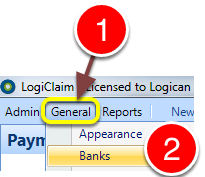
1: Click General from the menu.
2: Select Banks from the drop-down menu – the Banks will open.
Open the bank edit window
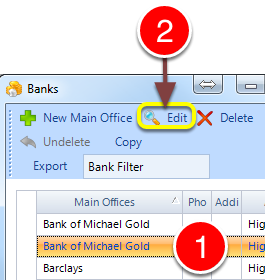
1: Select the required bank.
2: Click Edit – the Bank’s window will open.
Edit the payment details
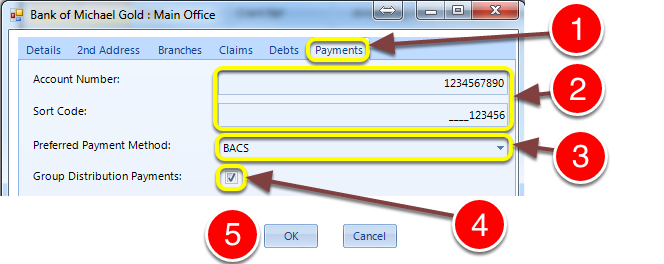
1: Click the Payments tab – the Payments window will open.
2: Add the account details.
3: Select the payment – in methos from the drop-down list.
4: Tick the Group Distribution Payments check-box if the payments in the Ready for Distribution list should be sent as seperate payments or grouped as 1 payment.
5: Click OK to save and close the window.