How to Enable Live and Leads Search
Open the Config window
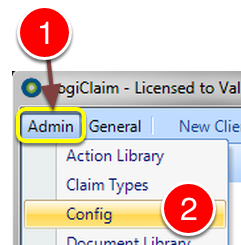
1: Click Admin from the Menu.
2: Select Config from the drop down list – the Config window will open.
Change the Setting
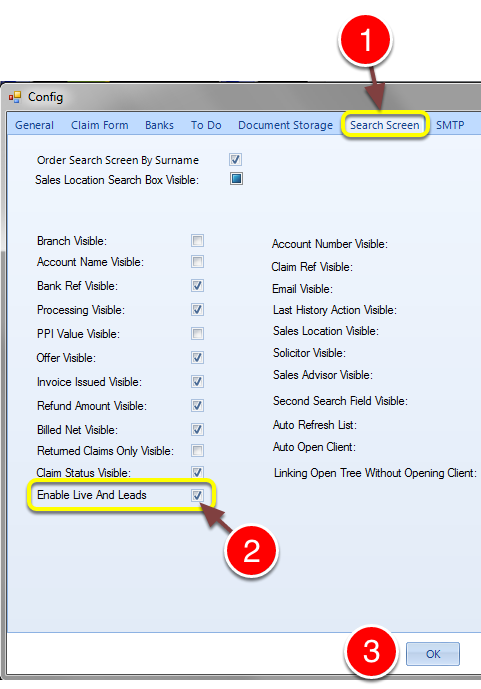
1: Click the Search Screen tab – the Search Screen Config window will open.
2: Tick the Enable Live And Leads tick box if you require this on the search screen. Untick to deactivate.
3: Click OK to Save the data and close the window.