How to Search the Bank List
Open the Bank List
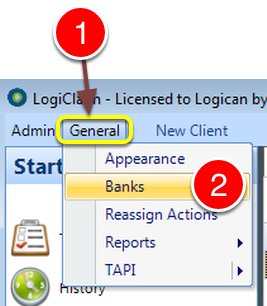
1: Click General from the Menu.
2: Select Banks from the drop down list – the Banks window will open.
Perform the Search
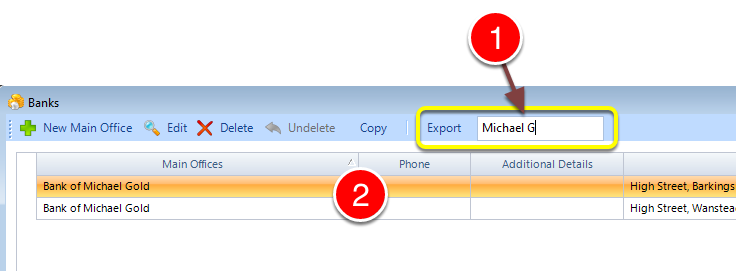
1: Type part of the name of the required Bank.
2: The list will be filtered.
1: Click General from the Menu.
2: Select Banks from the drop down list – the Banks window will open.
1: Type part of the name of the required Bank.
2: The list will be filtered.