How to create/change a details Questionnaire for a claim type
What is a Details Questionnaire?
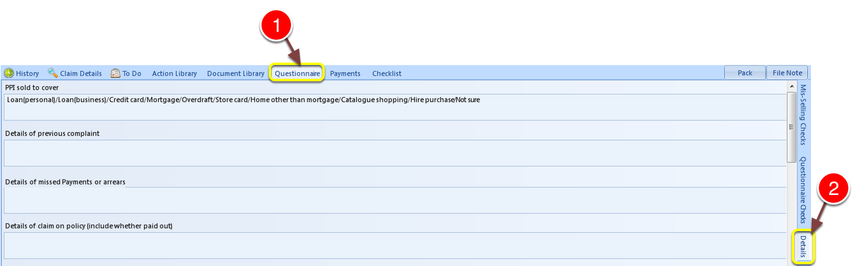
The details questionnaire is attached to a claim, dependent on a claim type, and actioned by:
1: Clicking Questionnaire.
Followed by
2: Details.
Adding to or Changing the Details Questionnaire
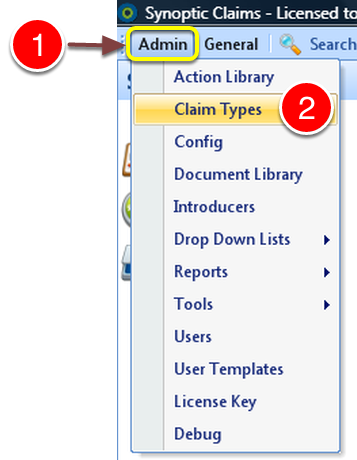
1: Click Admin from the menu.
2: Click Claim Types from the drop down menu – the Claim Types window will open.
Select Claim Type
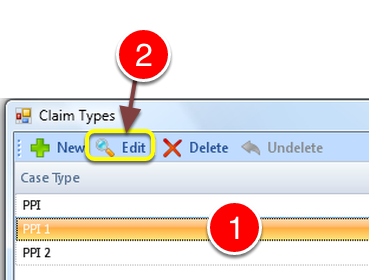
1: Select Claim Type.
2: Click Edit – the Edit Claim Type window will open.
Open Questionnaire Details Window

1: Select Q’naireDetails from the menu – the Questionnaire Details window will open.
Add/Change Questions
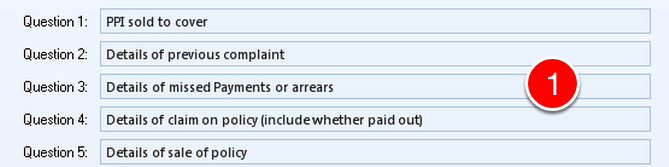
1: Type required Questions.
There are 30 fields. – Default Answers can be added – See here for details.
Save Questions

1: Click OK to Save changes.
or
2: Click Cancel to ABORT Changes.