How to Add/Edit a 2nd Address to a Bank Main Office
Open the Banks window
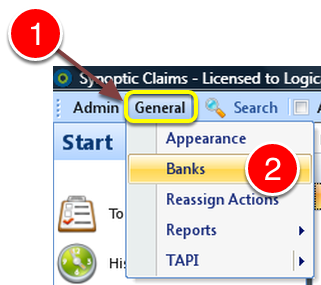
1: Click General from the Menu.
2: Click Banks from the drop down list – the Banks window will open.
Select Bank to edit
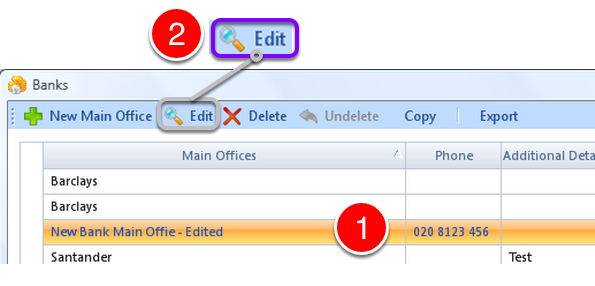
1: Select Bank to edit.
2: Click Edit from the Menu – the Edit Bank Main Office window will open.
Open the 2nd Address window
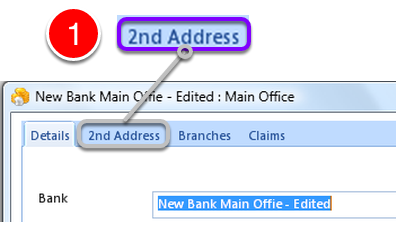
1: Click the 2nd Address tab – the 2nd Address window will open.
Add/Edit Details
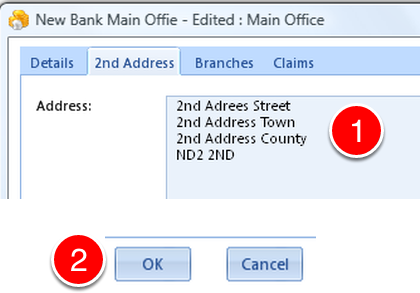
1: Add or Edit 2nd Address Details.
2: Click OK to Save the changes and close the window.