How to Create a Shared Printer Pool
Open the Shared Printer Pool from the Drop Down Lists
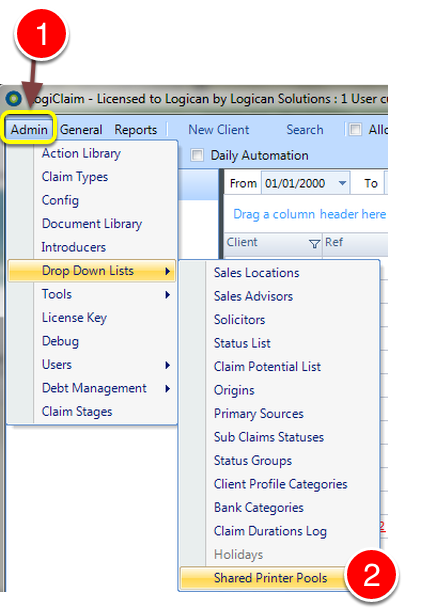
- Click Admin from the menu
- Select Drop Down Lists > Shared Printer Pools - the Shared Printer Pools window will open.
Create a Printer Pool
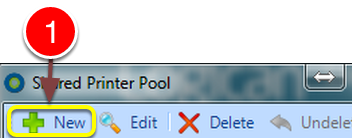
1: Click New - the New Shared Printer Pool window will open.
Select the Printers Required
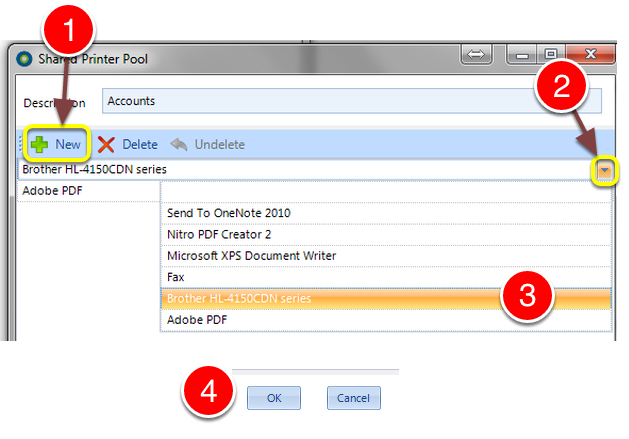
- Click New - A line will be created.
- Click the arrow to expand the printer list.
- Select the required printer.\ \ Repeat these steps until the Printer Pool is complete\ \
- Click OK to Save the data and close the window.