How to Add to, Change or Delete a Sales Location to/from the drop down list

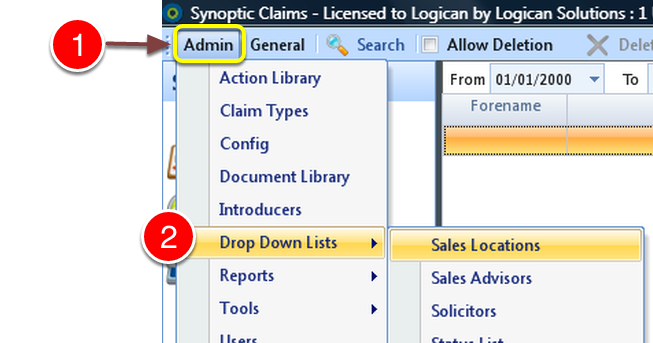
1: Click Admin from the menu.
2: Select Drop Down Lists ---> Sales Location from the drop down list - the Sales Locations window will open.
Adding a Location
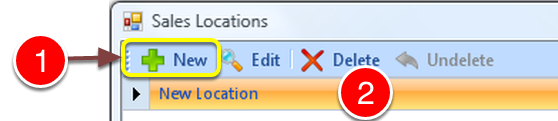
1: Click New from the menu.
2: A New Line will be created.
Type Location
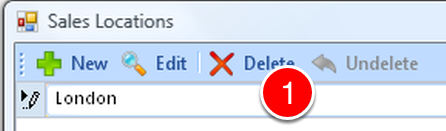
1: Click on the new location and type the location.
Repeat the clicking of the New Button to add more locations.
Save Changes
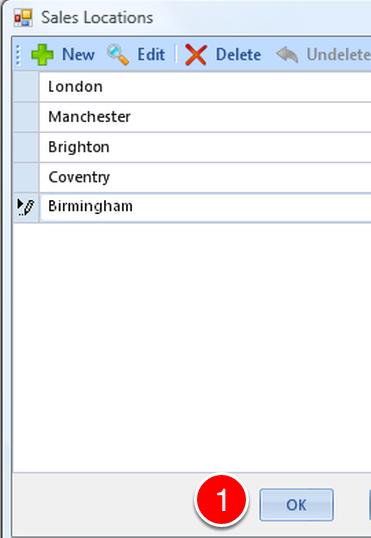
Click OK to save changes.
Editing a Location
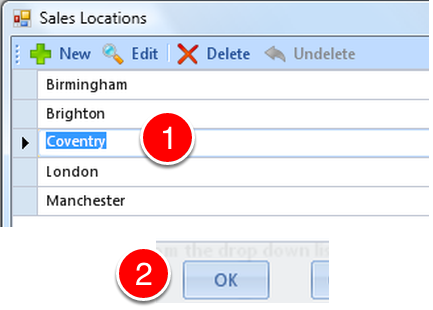
1: Click on the item you wish to edit and type the new name.
2: Click OK to save changes.
Deleting a Location
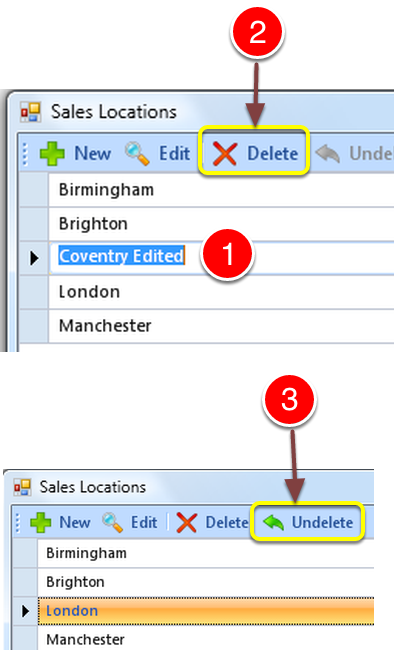
1: Click on the Location you require to delete.
2: Click the Delete button.
3: Click the Undelete button if you deleted a location in error.
Close the Window
Click the OK button to close the window.