How to make a Status Bullet Proof
Open the Status List window
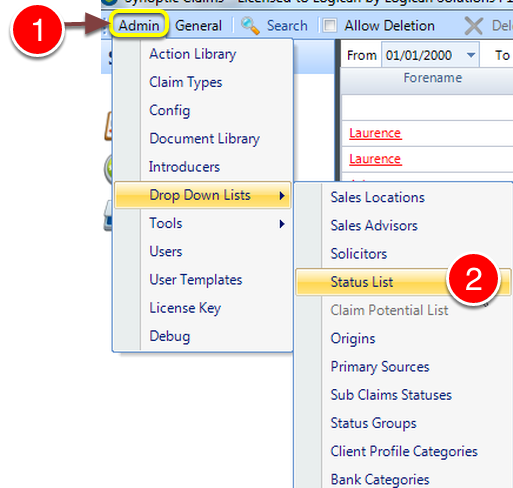
1: Click Admin from the Main Menu.
2: Select Status Lists from the drop down list - the Status Lists window will open.
Edit a Status
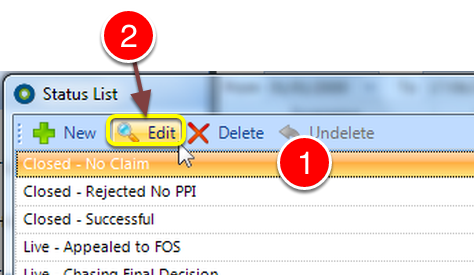
1: Select a status to edit.
2: Click Edit - the Edit status window will open.
Tick the Bullet Proof check box
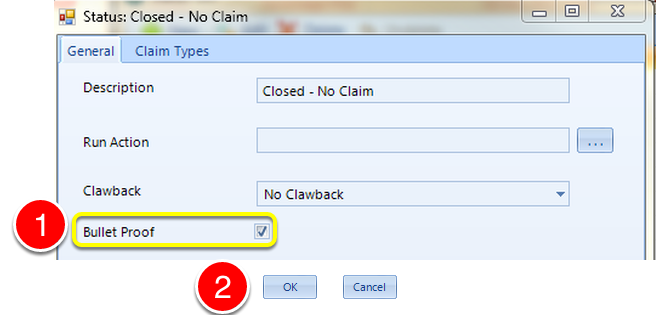
1: Click the Bullet proof check box.
2: Click OK to save the changes and close the window.