How to Create Claim Colours associated with different Claim Statuses
Open the Status List
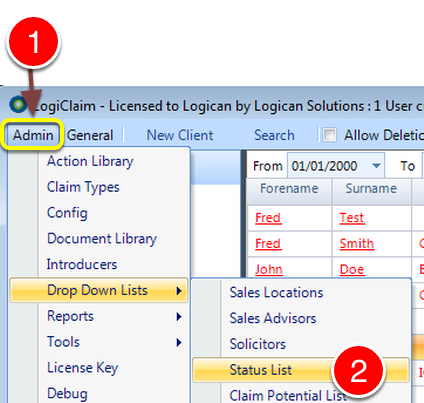
1: Click Admin from the Menu.
2: Select Drop Down Lists --> Status List from the drop down list - The Status list window will open.
Open the required Status
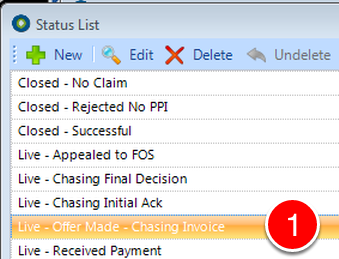
1: Double click the required Status - the Status' window will open.
Apply a Colour to the Status
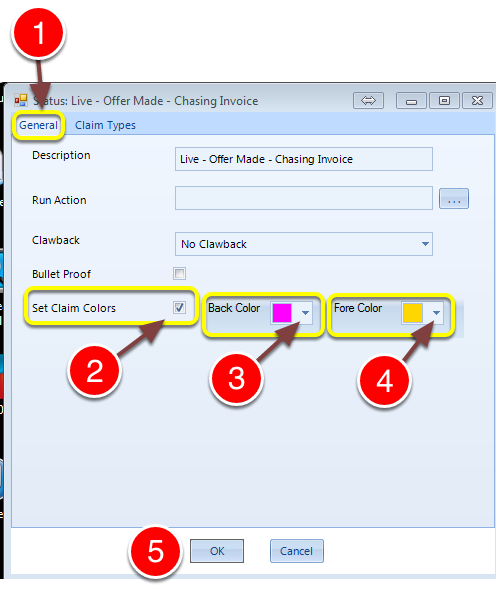
1: Click the General tab.
2: Select the "Select Claim Colours" tick box.
3: Select a Background Colour.
4: Select a Foreground Colour.

The Colour change will appear in the Client Claim List when the Status is set to a Status with a designed Colour change.