How to Add, Change or Delete a solicitor to/from the drop down list
Open the Solicitors Drop Down List window
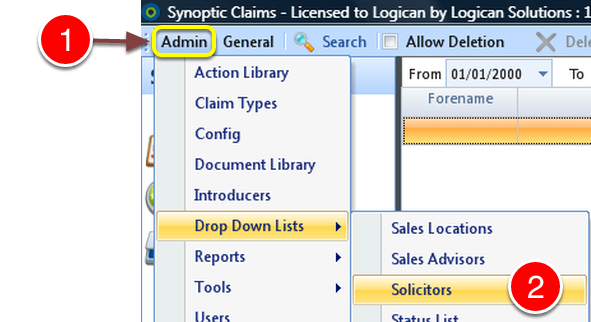
1: Click Admin from the menu.
2: Select Drop Down Lists --> Solicitors from the drop down list.
Add A Solicitor
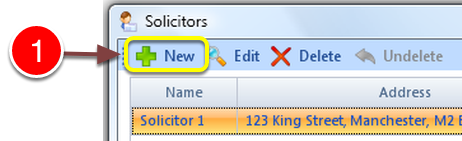
1: Click Add - the New Solicitor window will open.
Enter details
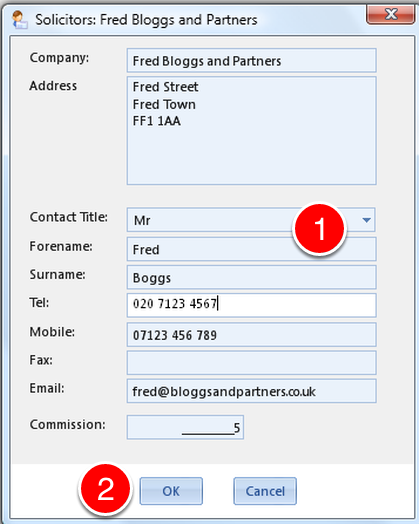
1: Enter the Details.
2: Click OK - the window will close.
Edit a Solicitor
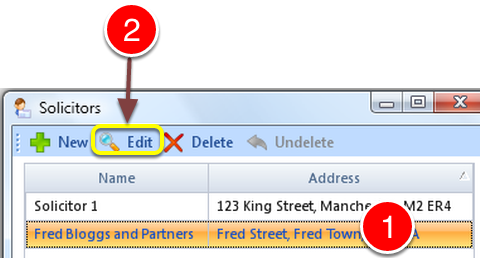
1: Select the Solicitor to edit.
2: Click Edit - the Edit Solicitor window will open.
Edit Details
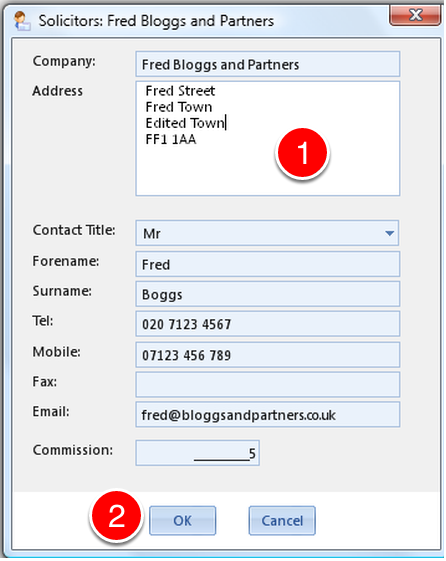
1: Edit the required details.
2: Click OK - the window will close.
Delete a Solicitor
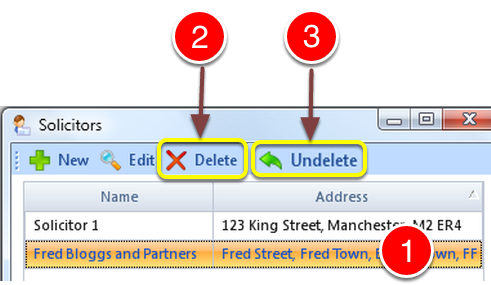
1: Select the Solicitor to delete.
2: Click the Delete button.
3: If the Solicitor was deleted in Error - Click Undelete.
Close the Window

1: Click OK the window will close.