How to enable/disable the use of the Bank Categories drop down list
Overview
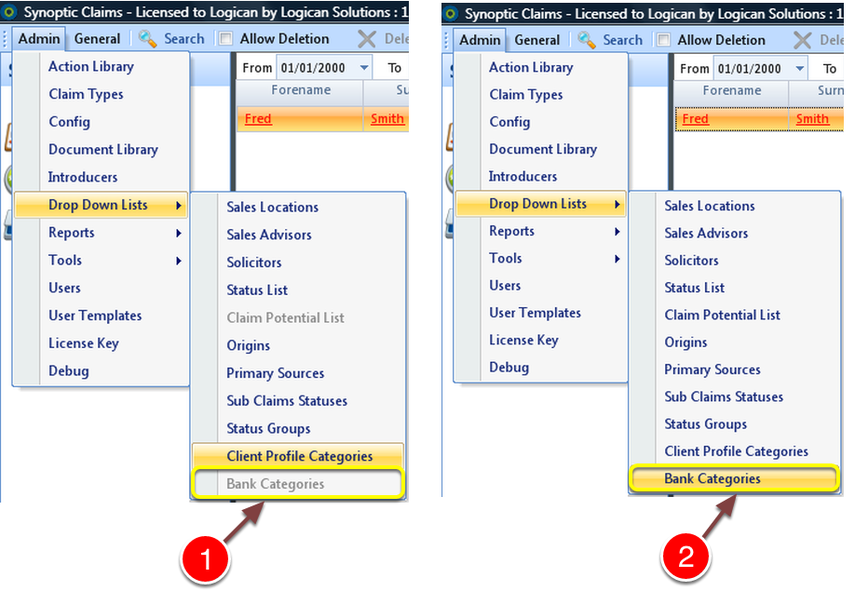
1: When not authorised the Bank Categories is grayed out so that it cannot be selected.
2: When authorised the Bank Categories is selectable.
Open Config Menu
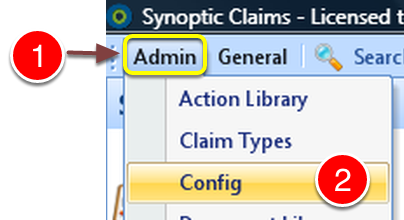
1: Select Admin from the Menu.
2: Select Config from the drop down list - the Config window will open.
Change the setting
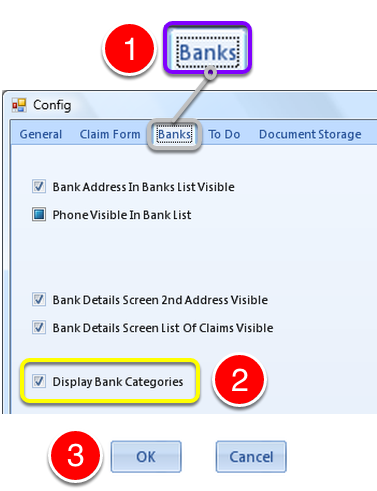
1: Select the banks tab to open the Banks window.
2: Tick the Display Banks Categories check box to enable Bank Categories.
3: Click OK to save the setting and close the window.