How to add/change custom action Claim Button in Client window - for all claim types
Standard Button Set

To add programmable buttons to the toolbar follow the instruction below.
Open Config Screen
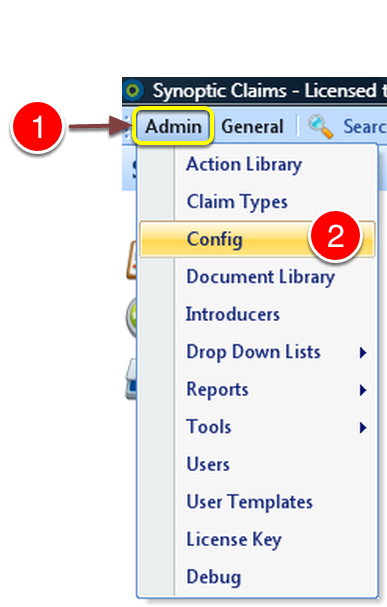
1: Press Admin from the menu.
2: Select Config from the drop down menu - The Config Window will open.
Open the Claim Buttons Window
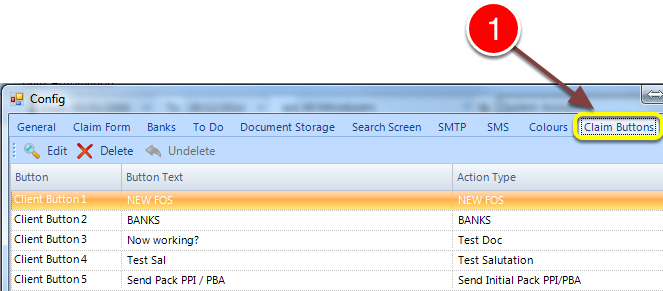
1: Select the Claims Button tab - The Claim Buttons Window will open.
Name the Button and attach an action type
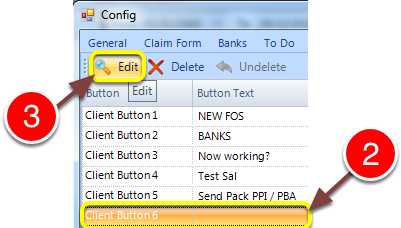
1: Click on the line to add.
2: Click edit - a pop out will appear.
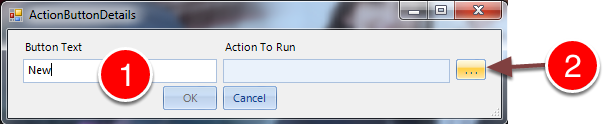
1: Type the Name required for this button.
2: Click ... to select the function of this button - the action library will open.
Select the Function
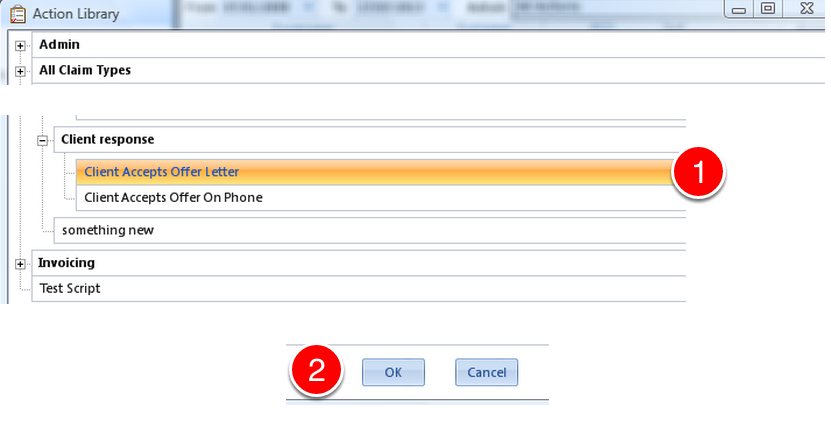
1: Choose a function for the button.
2: Click OK - the window will close.
Button Add Complete

1: Clicking the new button will perform the action that was assigned to it.