How to delete custom action Claim Button in Client window - for all claim types
Open Config Window
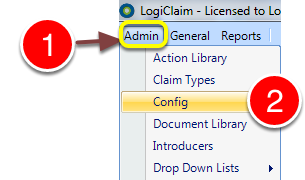
1: Click Admin from the menu.
2: Click Config on the drop down list - the Config window will open.
Edit Button
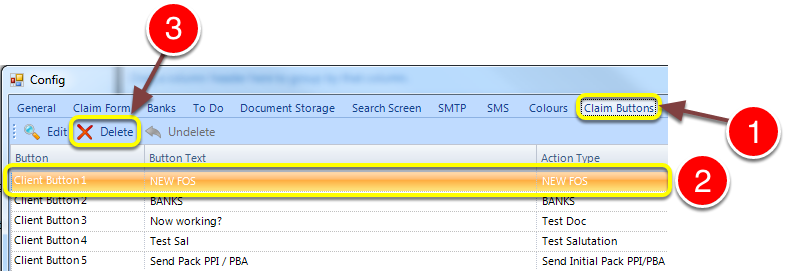
1: Click Claims Buttons tab - the Claims Buttons window will open.
2: Click on the function that requires deletion.
3: Press the Delete button.
Button Has Been Deleted
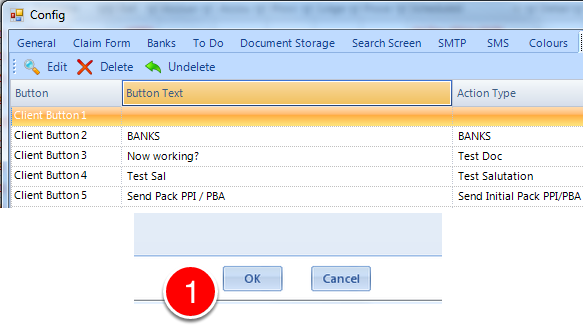
1: Press OK to confirm the deletion or press Cancel to ABORT the deletion.