How to add a custom claim form State Button tick box
Open Config Window
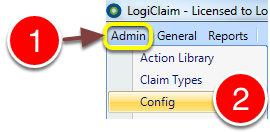
1: Click Admin from the Menu.
2: Click Config on the drop down list - The Config window will open.
Open State Buttons Window
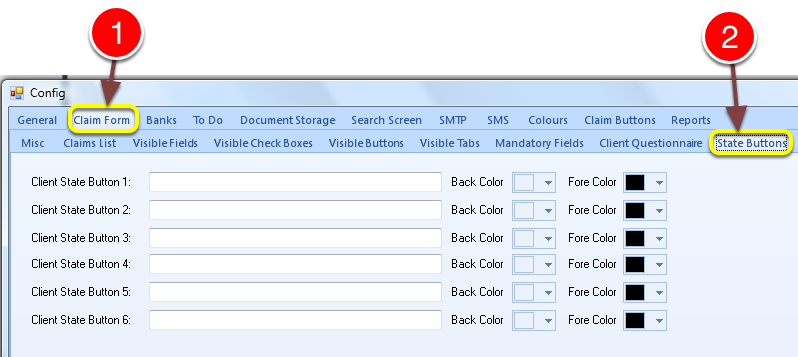
1: Click Claim Form tab
2: Click State Buttons tab - The State Buttons window will open.

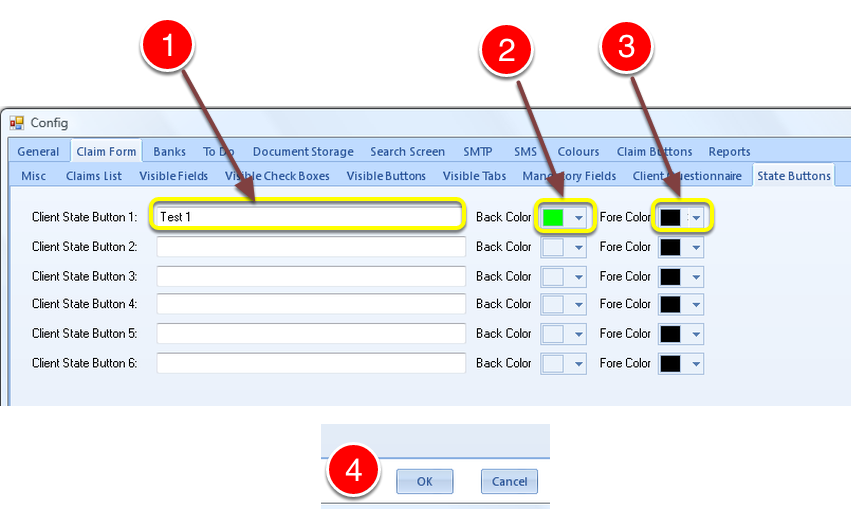
1: Give the button a name.
2: Choose a background colour for the button.
3: Choose a Font colour for the text.
4: Click OK.
Tick Box is Complete

1: New tick box now shows on the menu bar.
2: When the tick box is moused-over, it's background colour changes to the colour chosen.