How to delete a custom claim form State Button tick box


1: In this example we will remove the Test tick box.
Open Config Window
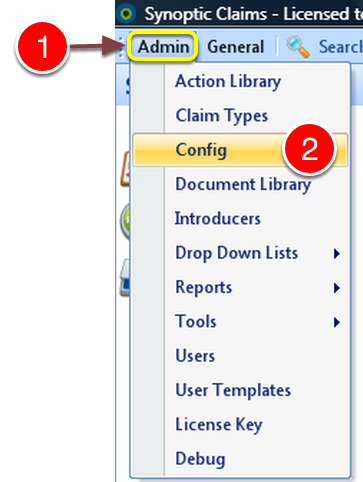
1: Click Admin on menu.
2: Click Config on the drop down menu - the Config window will open.
Remove the Button Details
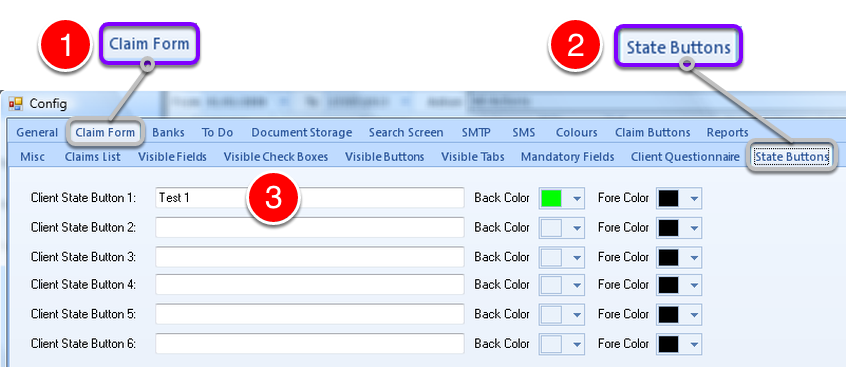
1: Click Claim Form tab
2: Click State Buttons tab - the State Buttons window will open.
3: Locate the button that needs to be removed, and delete the text description.
Confirm Delete
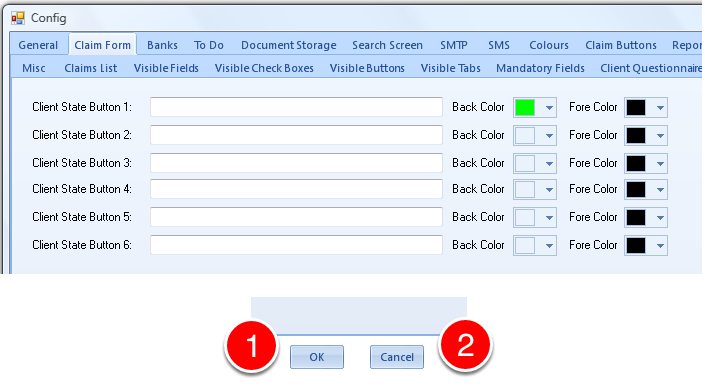
1: Click OK to complete the removal.
OR
2: Click CANCEL to abort the removal.


Check Box has been removed.