Creating Debt Statuses
Info
A Debt will need to have a Status Type, so creating at least one Debt Status is mandatory.
Open the Debt Statuses menu
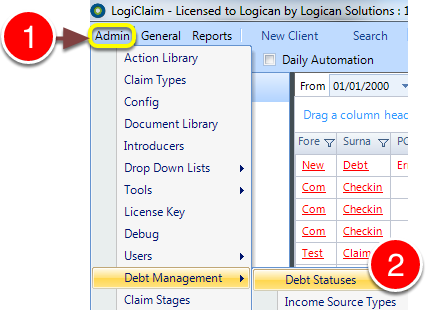
1: Clock Admin from the Menu.
2: Select Debt Management --> Debt Statuses from the drop-down menu - the Debt Statuses window will open.
Add a Debt Status
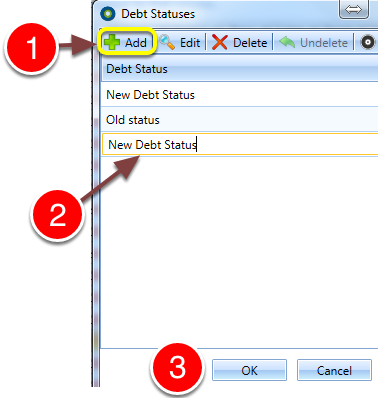
1: Click the Add button - a new line will be added.
2: Edit the name of this Debt Status as required.
3: Click OK to save and close the window.