Creating Template Groups
Open the Document Library
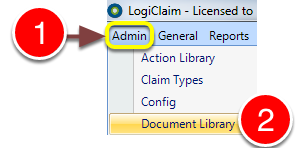
1: Click Admin in the menu.
2: Select Document Library from the drop-down menu - the Document Library will open.
Add a Template Group
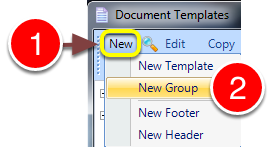
1: Click New.
2: Select New Group from the drop-down menu - the Group window will open.
Edit the Details
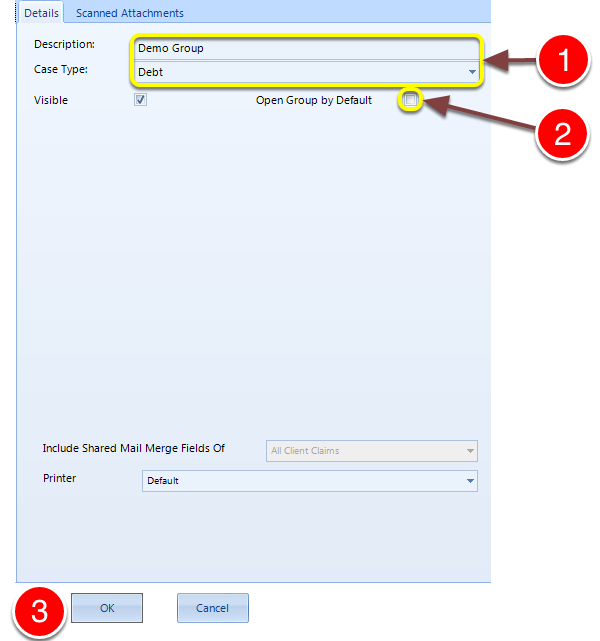
1: Type a Description and select Debt as the Case Type.
2: Tick to Open the Group by Default when the Document Library is opened.
3: Click OK to save and close the window.