Importing a document Template into LogiDebt
Open the Document Library
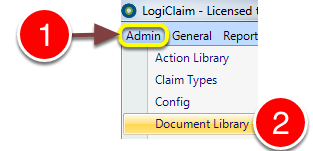
1: Click Admin from the menu.
2: Select Document Library from the drop-down menu - the Document Library will open.
Open the required Document
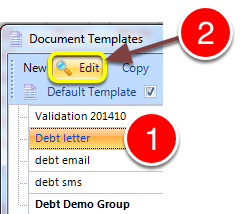
1: Select the required document
OR create a new document. Click here for instruction.
Open the Select Template window
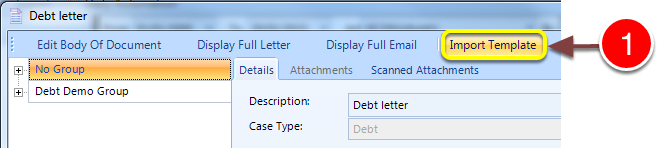
1: Click the Import Template button - the Select Template window will open.
Select the required Template to import
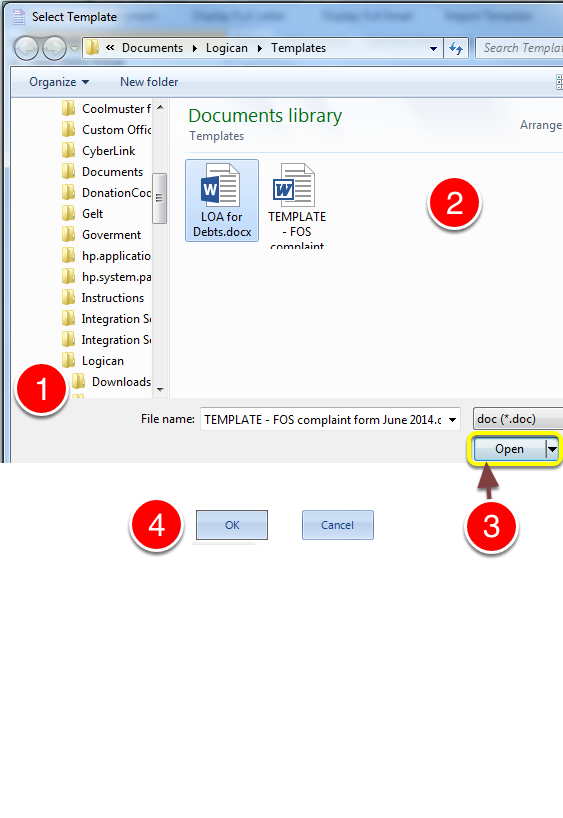
1: Navigate to the required document's location on the computer.
2: Select the document.
3: Click Open - the window will close.
4: Click OK to save and close the Template's window.