How to Assign and Action to print using Shared Printer Pools
Open the Action Library
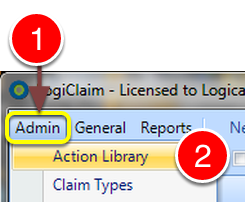
- Click Admin from the Menu.
- Select Action Library from the drop down list - the Action Library window will open.
Select an Action
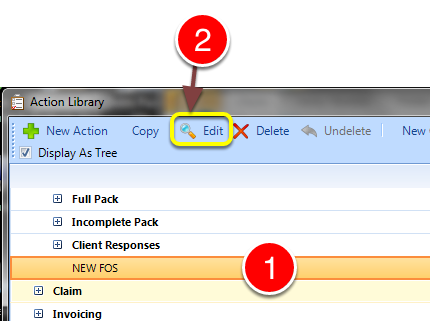
- Select the required Action from the Library.
- Click Edit - the Edit Action window will open.
Open the Documents tab
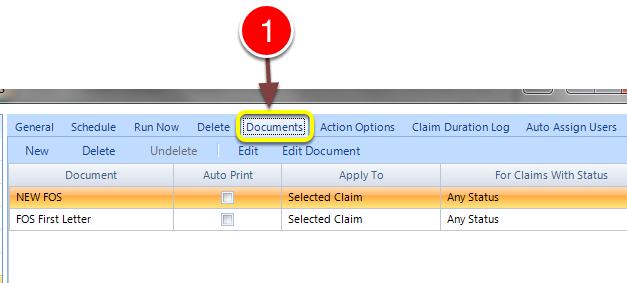
- Select the Documents tab - the Documents window will open.
Select the Printer Pool
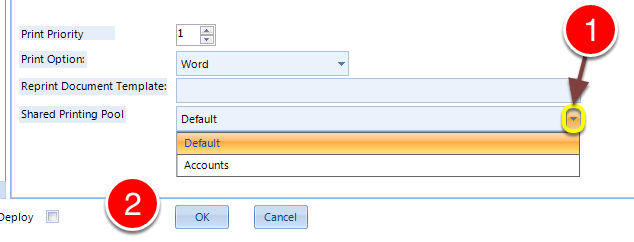
- Select the required Printer Pool from the drop down list.
- Click OK to Save the data and Close the window.